Claim Your FREE Website Audit—Limited Time Offer | Contact Us NOW!

Business & Digital Strategy

Business & Digital Strategy, Software Development, Web & Mobile Development

Mobile App Development Cost in India (2026 Guide) | Sikdar Technologies

Why Mobile App Cost Confuses Most Businesses One of the first—and most confusing—questions business owners and startup founders ask is: “How much does it really cost to build a mobile app in India?” The problem is not the question—it’s the answers available online. You’ll see estimates ranging from ₹50,000 to ₹50,00,000+, often with no explanation of what’s included. This confusion leads to poor budgeting, unrealistic expectations, wrong technology decisions, and in many cases, failed app projects. This 2026-ready guide explains mobile app development cost in India clearly, practically, and transparently—so you can make confident, business-focused decisions, even if you’re completely non-technical. Why India Is a Global Hub for Mobile App Development India is one of the world’s most trusted destinations for mobile app development—and for good reason. Key Reasons Companies Choose India Highly skilled developers with global project experience Expertise in Flutter, React Native, Node.js, Python, AWS 60–70% lower development cost compared to US & Europe Mature startup & enterprise ecosystem Strong English communication and agile processes That’s why startups, SMEs, and enterprises worldwide outsource mobile app development to India. Mobile App Development Cost in India (Realistic 2026 Ranges) 1. Basic Mobile App (₹1.5 – ₹3 Lakhs) Best suited for MVPs, students, early-stage startups, and small businesses. Includes: Static or simple UI Basic user authentication Simple database Limited screens (5–7) Android or iOS platform Typical Use Cases: Business profile app Portfolio app Simple appointment or booking app ⏱️ Timeline: 2–3 weeks 2. Medium Complexity App (₹4 – ₹8 Lakhs) Ideal for startups testing market demand and businesses going digital. Includes: User login & role management Backend APIs & database Payment gateway integration Push notifications Admin panel Android + iOS (cross-platform) Typical Use Cases: E-commerce apps Service booking platforms Food delivery MVPs ⏱️ Timeline: 2–3 months 3. High-End / Enterprise App (₹10 – ₹25+ Lakhs) Designed for scale, performance, and long-term growth. Includes: Advanced UI/UX & animations Real-time features (chat, tracking, live updates) AI/ML, analytics, or dashboards Cloud hosting (AWS / GCP / Azure) High-level security & compliance Continuous maintenance & monitoring Typical Use Cases: Uber-like apps Fintech platforms Healthcare & telemedicine apps SaaS products ⏱️ Timeline: 4–5+ months Key Factors That Decide Mobile App Development Cost 1. App Complexity More features mean: More development hours More testing Higher long-term maintenance Simple rule: More value = higher cost (but better ROI). 2. Platform Choice Android only: Lowest initial cost iOS only: Slightly higher due to ecosystem standards Android + iOS: Best ROI using Flutter or React Native 3. UI/UX Design Custom UI/UX directly affects: User engagement App retention Conversion rates A well-designed app may cost more upfront—but generates higher lifetime revenue. 4. Backend & Cloud Infrastructure Cost varies depending on: Number of users Data volume Security & compliance needs Real-time processing Cloud services usually follow pay-as-you-scale pricing. 5. Third-Party Integrations Common integrations include: Payment gateways (Razorpay, Stripe) Google Maps & location services SMS / OTP services Analytics & CRM tools  Many third-party tools have monthly or per-usage costs. Real-World Use Cases (India-Based Projects) Startup MVP A logistics startup built a Flutter-based MVP for ₹5.2 Lakhs, validated demand, then scaled to enterprise level after funding. Business Automation App A manufacturing firm digitized internal operations for ₹7 Lakhs, saving ₹18 Lakhs annually in manual operational costs. Healthcare Application A secure appointment booking & teleconsultation app built for ₹12 Lakhs, compliant with healthcare data standards. Benefits of Developing a Mobile App in India 60–70% cost savings vs US/Europe Access to full-stack development teams Faster time-to-market Strong post-launch support & maintenance Ideal for startups, SMEs, and enterprises Why Choose Sikdar Technologies We don’t just develop apps—we create business-ready digital products. Our Core Strengths ✔️ Custom mobile app development✔️ Flutter, React Native, Node.js specialists✔️ Transparent pricing—no hidden costs✔️ Startup & enterprise experience✔️ UI/UX, backend & cloud under one roof Industries We Serve Healthcare Logistics Fintech Education E-commerce SaaS platforms Mobile App Maintenance Cost After Launch Annual maintenance typically costs 15–25% of the initial development cost, covering: Bug fixes & performance improvements Server & cloud updates Security patches Feature enhancements This ensures your app stays secure, fast, and scalable. Common Mistakes Businesses Make Choosing the cheapest quote Ignoring scalability planning Poor requirement documentation No long-term support strategy  These mistakes often cost more than proper development. Conclusion: What Should You Budget in 2026? If you’re planning a mobile app in India: MVP / Startup: ₹4–6 Lakhs Growing Business: ₹7–12 Lakhs Enterprise / SaaS: ₹15 Lakhs+ The smartest strategy is to start lean, validate early, and scale gradually. Get a Free App Cost Estimate Don't let another lead slip through the cracks. Contact Sikdar Technologies for a free consultation and discover how Mobile Application can revolutionize your customer acquisition process. Schedule Consultation Frequently Asked Questions Can I build an app under ₹2 Lakhs? Yes, but only for very basic apps with limited features and no scalability. Is Flutter cheaper than native development? Yes. Flutter reduces cost by 30–40% for Android + iOS apps. Who owns the source code? You do. Full source code ownership is provided after project delivery. Uncategorized Mobile App Development Cost in India (2026 Guide) | Sikdar Technologies Sikdar Technologies AI & Automation, Business & Digital Strategy, Uncategorized Why AI Customer Service Chatbots Fail and the Framework That Actually Works Sikdar Technologies Business & Digital Strategy, Uncategorized The SaaS vs Custom Software Decision: A Framework for CTOs | Sikdar Technologies Sikdar Technologies AI & Automation, Uncategorized AI Agents for Indian MSMEs: 2026 Complete Guide14 Sikdar Technologies Business & Digital Strategy, Startup & Growth Technical Debt: When to Fix It vs When to Ship Faster 2026 Guide Sikdar Technologies

google.com, pub-8966458381222183, DIRECT, f08c47fec0942fa0
AI & Automation, Business & Digital Strategy, Uncategorized

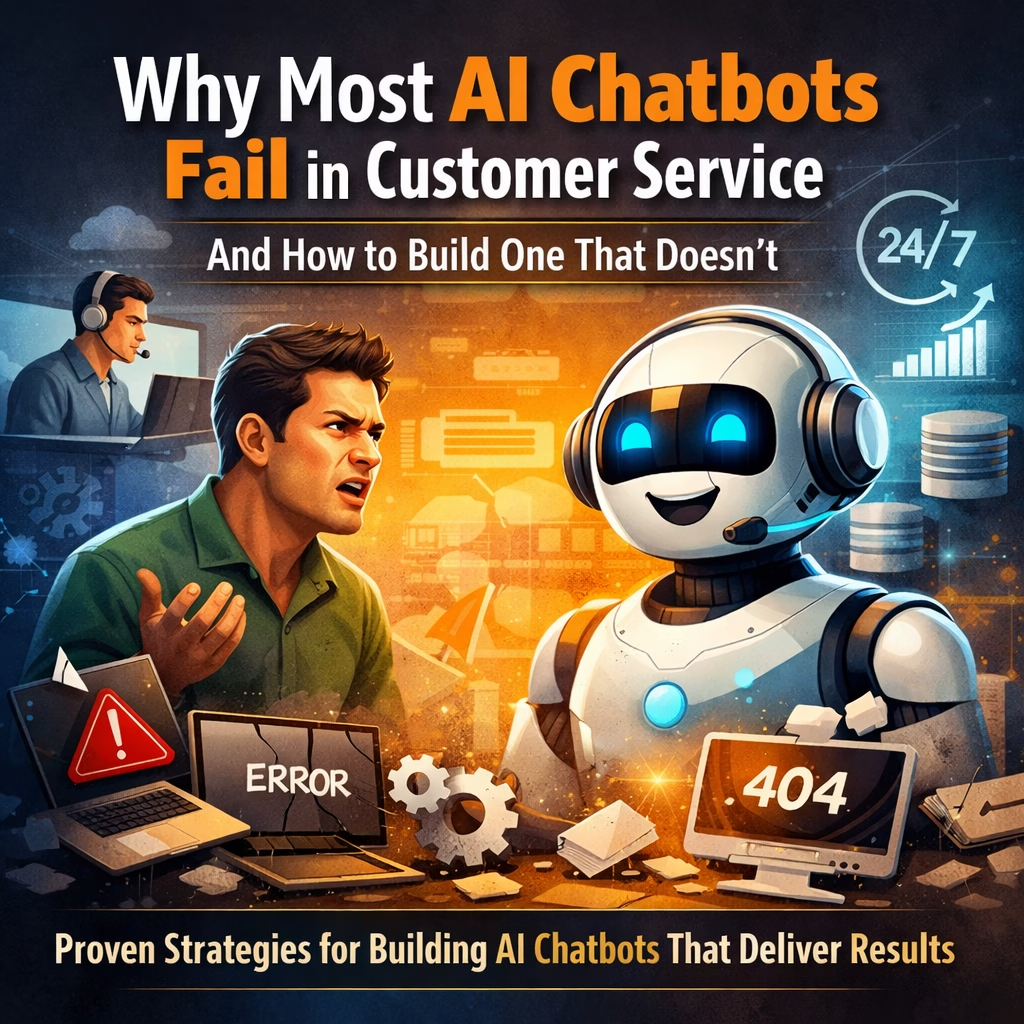
Why AI Customer Service Chatbots Fail and the Framework That Actually Works

Why Most AI Chatbots Fail in Customer Service (And How to Build One That Doesn’t) Real-world problems, proven solutions, and a practical framework for building AI customer service chatbots that actually work The promise of AI chatbots in customer service is compelling: 24/7 availability, instant responses, reduced operational costs, and improved customer satisfaction. Yet the reality often falls short. According to recent industry data, 75% of customers report frustration with chatbot interactions, and 40% of AI chatbot implementations fail to meet business objectives within the first year. This disconnect between promise and performance isn’t because AI technology is fundamentally flawed. The problem lies in how these systems are designed, implemented, and integrated into actual business operations. After deploying dozens of successful AI chatbot solutions, we’ve identified the critical failure patterns and, more importantly, the proven strategies to avoid them. In this comprehensive guide, we’ll examine real-world chatbot failures, dissect what went wrong, and provide actionable solutions that work. Whether you’re considering your first chatbot implementation or looking to fix an underperforming system, this guide offers practical insights based on actual customer service challenges, not theoretical concepts. The Reality Check: Why Traditional Chatbot Approaches Fall Short AI customer service chatbots promise 24/7 availability, faster responses, and lower support costs. However, in practice, many implementations fall short of expectations. In fact, a majority of businesses report that their AI chatbot initiatives fail to deliver meaningful results. This failure is not due to weak technology. Instead, it happens because chatbots are often designed, deployed, and maintained without aligning them to real customer behavior and business workflows. To understand how to build an AI customer service chatbot that actually works, we must first examine why most of them fail. The Reality Check: Why AI Customer Service Chatbots Fail Before jumping into solutions, it’s important to understand the real reasons AI customer service chatbots fail. These are not theoretical limitations. Rather, they are practical problems that frustrate customers, overload support teams, and reduce trust in automation. Problem 1: The Rigid Script Trap Real-World Scenario An e-commerce company launches a chatbot to handle order inquiries. A customer asks: “My package was supposed to arrive yesterday, but it’s not here. What’s going on?” The chatbot responds: “Would you like to track your order? Please provide your order number.” The customer, already frustrated, replies: “I already told you it was supposed to arrive yesterday. Where is it?” However, the chatbot repeats the same scripted response. As a result, the conversation goes nowhere. Why This Happens Traditional chatbots rely on rule-based decision trees. Because of this, they cannot understand context, emotional tone, or conversational flow. When customers phrase questions differently than expected, the chatbot fails. Consequently, users are forced to repeat themselves or abandon the interaction. The Solution A modern AI customer service chatbot uses natural language processing (NLP) to understand intent rather than keywords. Instead of following scripts, it recognizes what the customer wants to achieve. In this case, an intelligent chatbot would detect a delivery delay, pull tracking details automatically, and explain the next steps—while acknowledging customer frustration. Implementation approach:Train your chatbot on real customer conversations. Use intent classification models capable of identifying 30–50 core customer intents. Additionally, design flexible conversational flows that handle follow-up questions naturally. Problem 2: The Knowledge Gap Real-World Scenario A SaaS company deploys a chatbot to answer product questions. A prospective customer asks about integrations. The chatbot responds with a generic message and links to a webpage. When the customer asks specifically about Salesforce and HubSpot, the chatbot repeats the same response. Frustrated, the customer leaves. Why This Happens Many AI chatbots fail because they are disconnected from business knowledge systems. Instead of acting as an intelligent interface, they operate as limited FAQ tools. As a result, they cannot access product documentation, CRM data, or integration details. The Solution Successful AI customer service chatbots integrate deeply with the company’s knowledge ecosystem. This includes documentation, CRM platforms, helpdesk systems, and historical support data. Implementation approach:Use retrieval-augmented generation (RAG) so the chatbot can search and synthesize information in real time. Maintain version control and automated updates to ensure responses remain accurate as products evolve. Problem 3: The Handoff Disaster Real-World Scenario A customer spends several minutes troubleshooting an issue with a chatbot. When the chatbot fails, the customer requests a human agent. Unfortunately, the agent has no context and asks the customer to explain everything again. At this point, the customer is ready to switch providers. Why This Happens This problem occurs when chatbots and human support systems are poorly integrated. Conversation history is lost, attempted solutions are not logged, and agents lack context. As a result, customer frustration increases and resolution times skyrocket. The Solution Effective AI customer service chatbots enable seamless human handoff. When escalation occurs, the chatbot must transfer the full conversation history, customer sentiment, attempted fixes, and account details. Implementation approach:Integrate the chatbot with platforms like Zendesk, Freshdesk, or Intercom. Define escalation rules based on confidence, complexity, and customer sentiment. Most importantly, ensure agents receive actionable summaries before engaging. Problem 4: The Personality Vacuum Real-World Scenario A banking customer writes: “Why was my card declined? This is embarrassing.” The chatbot replies: “Transaction declined. Insufficient funds. Check balance.” Although accurate, the response lacks empathy and damages trust. Why This Happens Many chatbots are built with functional efficiency only, ignoring emotional intelligence. As a result, they sound robotic and fail to reflect brand voice or customer expectations. The Solution An effective AI customer service chatbot understands emotional context. It acknowledges frustration, explains the issue clearly, and offers helpful options. Implementation approach:Define chatbot personality guidelines aligned with your brand. Train sentiment detection models and test conversations with real users to ensure responses feel human and supportive. Problem 5: The Update Nightmare Real-World Scenario A software company updates its pricing, but the chatbot continues providing outdated information for weeks. Customers receive incorrect quotes, leading to lost deals and reduced credibility. Why This Happens Chatbots often rely on static knowledge bases that are not

google.com, pub-8966458381222183, DIRECT, f08c47fec0942fa0
Business & Digital Strategy

The SaaS vs Custom Software Decision: A Framework for CTOs | Sikdar Technologies

The SaaS vs Custom Software Decision: A Framework for CTOs A Comprehensive Guide to Making Informed Technology Decisions That Drive Business Value Choosing between Software as a Service (SaaS) and custom software development is one of the most critical decisions technology leaders face today. This choice impacts not only immediate budgets but also long-term operational efficiency, scalability, and competitive advantage. As businesses navigate digital transformation, understanding the nuances of this decision becomes increasingly vital. In this comprehensive guide, we’ll explore a practical framework that CTOs, business owners, and decision-makers can use to evaluate their options systematically. Whether you’re a startup founder weighing your first major technology investment or an established enterprise considering a platform migration, this framework will help you make an informed choice aligned with your business objectives. Understanding the SaaS vs Custom Software Landscape What is SaaS? Software as a Service delivers applications over the internet on a subscription basis. Users access the software through a web browser without installing or maintaining anything locally. Popular examples include Salesforce, Slack, HubSpot, and Microsoft 365. Key characteristics of SaaS solutions: Quick deployment with minimal setup time Subscription-based pricing model Vendor manages infrastructure, security, and updates Multi-tenant architecture serving multiple customers Limited customization options What is Custom Software? Custom software is built specifically for your organization’s unique requirements. It’s developed from scratch or extensively customized from open-source platforms to match your exact business processes, workflows, and competitive differentiators. Key characteristics of custom software: Tailored specifically to your business needs Higher upfront development investment Complete control over features and data Requires ongoing maintenance and support Potential for competitive advantage through unique features The Decision Framework: 7 Critical Evaluation Criteria Making the right choice requires evaluating multiple dimensions of your business needs. Here’s a comprehensive framework to guide your decision: 1. Business Process Uniqueness The degree to which your business processes are unique or standardized significantly influences your software choice. Choose SaaS when: Your workflows align with industry best practices Standardization improves efficiency Your competitive advantage doesn’t depend on proprietary processes Choose custom software when: Your business model relies on unique operational methods Industry-specific requirements aren’t addressed by existing solutions Proprietary workflows create competitive differentiation Example: A logistics company with standard shipping operations might use SaaS tools like ShipStation. However, a company with a revolutionary delivery algorithm that provides same-hour delivery guarantees would benefit from custom software that implements this proprietary logic. 2. Integration Requirements Consider how the software needs to connect with your existing technology ecosystem. Integration complexity can make or break implementation success. SaaS advantages: Pre-built integrations with popular platforms API marketplaces with ready-made connectors Faster time to integrate common tools Custom software advantages: Deep integration with legacy systems Complex data transformation and synchronization Real-time bidirectional data flow Integration with proprietary internal systems 3. Scalability and Performance Needs Evaluate both current needs and projected growth. Different scaling patterns favor different solutions. SaaS excels for: Predictable, gradual scaling Standard performance requirements Distributed team access from multiple locations Custom software excels for: High-performance computing requirements Unpredictable or bursty traffic patterns Processing large volumes of data locally Specific infrastructure optimizations 4. Data Sensitivity and Compliance Data security and regulatory compliance are non-negotiable for many organizations. The level of control you need directly influences your software choice. SaaS considerations: Shared responsibility security model Vendor handles infrastructure security May offer compliance certifications (SOC 2, HIPAA, etc.) Data residency limitations may apply Custom software considerations: Complete control over data storage and access Ability to implement specific security protocols On-premise or private cloud deployment options Full responsibility for compliance and security Key question: If your data is compromised or accessed by a vendor, what are the regulatory, financial, and reputational consequences? Industries like healthcare, finance, and government often require custom solutions due to stringent compliance requirements. 5. Total Cost of Ownership (TCO) Understanding the complete financial picture requires looking beyond initial costs to long-term expenses. SaaS cost structure: Lower upfront investment Predictable monthly or annual subscriptions Per-user or usage-based pricing Costs increase with scale and users Hidden costs: integration, training, migration Custom software cost structure: Significant upfront development investment Ongoing maintenance and support costs (15-20% annually) Infrastructure and hosting expenses In-house or contracted development team More predictable costs at scale Financial analysis tip: Calculate the break-even point. For many businesses, custom software becomes more cost-effective after 3-5 years when subscription costs exceed development and maintenance expenses. 6. Time to Market and Business Urgency Speed to implementation can be a critical business factor, especially in competitive markets or during rapid growth phases. SaaS timeline advantages: Deployment in days or weeks Immediate access to latest features Faster ROI realization Custom software timeline considerations: Development typically takes 3-12 months Requirements gathering and planning phase Iterative development and testing Phased rollout possible with MVP approach 7. Long-term Strategic Vision Consider where your business is headed and how software choices support or constrain your future options. Questions to ask: Will this software become a core competitive differentiator? How important is vendor independence? What happens if the vendor discontinues the product? Can we monetize this software as a product later? Will our needs outgrow the SaaS platform’s capabilities? Hybrid Approaches: The Best of Both Worlds The decision isn’t always binary. Many successful organizations adopt hybrid strategies that leverage both SaaS and custom development. SaaS + Custom Integration Layer Use SaaS for standard functions while developing custom middleware for unique business logic and integration requirements. This approach offers rapid deployment for common features while maintaining differentiation in critical areas. SaaS with Extensive Customization Platforms like Salesforce and ServiceNow offer extensive customization through their development frameworks. This provides a middle ground with infrastructure benefits of SaaS and customization flexibility. Custom Core + SaaS Periphery Build custom software for your competitive advantage while using SaaS for supporting functions like email, HR, and accounting. This focuses development resources on what matters most while leveraging proven solutions for commodity functions. Common Decision Scenarios Here are typical scenarios and recommended approaches based on the framework: Scenario 1: Early-Stage Startup

google.com, pub-8966458381222183, DIRECT, f08c47fec0942fa0
Business & Digital Strategy, Startup & Growth

Technical Debt: When to Fix It vs When to Ship Faster 2026 Guide

The Founder’s Guide to Technical Debt: When to Fix It vs When to Ship Faster Every founder faces this dilemma at 3 AM: your product launch is in 48 hours, your developer flags a code issue that needs “proper refactoring,” and your competitor just announced their beta release. Do you ship now with imperfect code, or delay for quality? This decision—between speed and perfection—defines the trajectory of 90% of startups. And according to 2026 data, 63% of tech businesses fail within the first five years. Technical debt plays a silent but decisive role in these failures. This isn’t another generic article telling you “technical debt is bad.” Instead, we’ll show you exactly when to accumulate it strategically and when it becomes a company-killing liability—backed by real market data and lessons from companies that got it catastrophically wrong. What Technical Debt Actually Costs Your Business (The Numbers Nobody Talks About) Technical debt isn’t just a developer complaint—it’s a business metric that directly impacts your runway, hiring costs, and investor appeal. The Real Financial Impact: Engineers spend 2-5 working days per month on tech debt, consuming up to 25% of the engineering budget. For a startup with five developers at $100,000 annual salary each, that’s $125,000 per year just servicing debt—not building new features. But the hidden costs run deeper: Opportunity Cost: Studies show that 23-42% of development time can be consumed by dealing with technical debt. That’s your Series A funding being spent on rework instead of customer acquisition. Hiring Friction: Top engineers can smell technical debt during interviews. When your best candidate asks to see the codebase and finds spaghetti code, they’re walking away before you can pitch equity. Investor Due Diligence: Technical debt has become part of M&A due diligence in 2025-2026. Potential acquirers now assess “technical baggage” as a risk factor, directly impacting valuation. A startup case study: A mid-sized SaaS company prioritized features over code quality for three years. By year four, simple feature additions required six weeks instead of one. Their competitor shipped the same features in days. They lost market share, couldn’t raise Series B, and eventually sold at 40% of their projected valuation. The Five Types of Technical Debt (And Which Ones Will Kill Your Business) Not all technical debt is created equal. Understanding these categories determines whether you’re making strategic trade-offs or digging your own grave. 1. Strategic Debt (Acceptable) What it is: Intentional shortcuts to validate market fit or beat competitors to launch. Example: Using a monolithic architecture for your MVP instead of microservices. You can always refactor later if the product succeeds. When it’s acceptable: Pre-product-market fit (under 1,000 users) Testing a hypothesis that might fail Response to urgent competitive threat Documented and tracked for future resolution Red line: If you’re still running that “temporary” solution after hitting 10,000 users or raising Series A, it’s no longer strategic—it’s reckless. 2. Architectural Debt (Company Killer) What it is: Fundamental structural problems in how your system is designed. Nokia’s Symbian OS was fundamentally unsuited to touchscreen devices and app ecosystems. When Microsoft acquired Nokia’s mobile division for $7 billion in 2014, the inherited technical debt proved insurmountable, leading to an $8 billion write-off just two years later. Warning signs: Your monolith can’t scale beyond current traffic Every new feature requires changes across 10+ files Deployments take hours and break existing features New developers need 3+ months to be productive Cost: Architectural debt is the most significant source of technical debt according to Carnegie Mellon research. This is the type that forces complete rewrites and destroys companies. 3. Code Debt (Manageable) What it is: Messy, duplicated, or poorly structured code that works but is hard to maintain. Examples: Functions with 500+ lines of nested logic Copy-pasted code in 15 different files No automated tests Inconsistent naming conventions Impact: Slows development by 20-40% but doesn’t prevent business operations. This is the debt you can systematically pay down. 4. Infrastructure Debt (Scaling Killer) What it is: Outdated servers, databases, or deployment systems that can’t handle growth. Real scenario: Your app runs on a single server. You hit the front page of Product Hunt. Traffic surges 100x. Your site crashes for 36 hours during your biggest opportunity. 2025-2026 reality: 81% of codebases contain high or critical-risk vulnerabilities, and 90% contain components more than 10 versions behind the current version. 5. Security Debt (Legal Liability) What it is: Postponed security measures, outdated dependencies, or unpatched vulnerabilities. The danger: This debt doesn’t just slow you down—it exposes you to lawsuits, regulatory fines, and catastrophic breaches. One security incident can destroy years of trust-building. Statistic: Companies face increasing regulatory scrutiny in 2026. In regulated sectors, outdated systems can prevent compliance with new financial or health regulations. When to Ship Fast (And Strategically Accumulate Debt) There are exactly four situations where accumulating technical debt is the right business decision: 1. Pre-Product-Market Fit Validation The rule: Before 1,000 active users or $100K ARR, bias toward speed. Why: 42% of startups fail because there is no market need for their product. Perfect code for a product nobody wants is worthless. Example: Building a fintech MVP? Use Firebase instead of architecting a custom backend. You can migrate later if users actually want your product. Sikdar Technologies approach: We help founders identify which architectural decisions can be “quick and dirty” for validation versus which ones (like security in fintech) must be done right from day one. 2. Time-Sensitive Competitive Windows The rule: When 2-3 weeks of delay means losing first-mover advantage. Scenario: Your competitor announces funding for the same idea. You have 30 days to establish market presence or become “just another clone.” The trade-off: Accumulate technical debt now, but document every shortcut. Block off 20-30% of development capacity for three months post-launch to repay it. 3. Revenue-Critical Features The rule: When one feature directly impacts revenue or customer retention. Example: Your top enterprise client (40% of revenue) requests a specific integration. You can build it properly in 8 weeks or build a working

google.com, pub-8966458381222183, DIRECT, f08c47fec0942fa0
Business & Digital Strategy, Industry Solutions, Odoo ERP & Business Systems

odoo-customization-without-breaking-updates-guide

Customizing Odoo Without Breaking Updates: The Technical Guide to Smart Modifications How to Extend Odoo Safely While Maintaining Upgrade Compatibility You’ve invested in Odoo ERP to streamline your business operations. Your team loves it, but there’s one problem: Odoo doesn’t quite work the way your business does. You need customizations. But here’s the catch—make the wrong modifications, and your next Odoo update could break everything. Sound familiar? You’re not alone. Every growing business using Odoo eventually hits this crossroads. The question isn’t whether to customize—it’s how to customize without creating a maintenance nightmare. In this comprehensive guide, we’ll walk you through the proven strategies that keep your Odoo system flexible, upgradeable, and aligned with your business needs—whether you’re a business owner evaluating options or a technical team implementing solutions. The Hidden Cost of Wrong Customizations Before we dive into solutions, let’s understand what goes wrong when customizations aren’t done properly. The Update Trap Imagine this scenario: Your development team modifies Odoo’s core files directly to add a custom feature. Six months later, Odoo releases a security patch. You install it, and suddenly your entire inventory module stops working. Your warehouse grinds to a halt. Your developers spend days debugging. Sound extreme? It happens more often than you think. Common problems with poor customization approaches: Lost functionality after updates—features you rely on simply disappear or break Technical debt accumulation—each workaround makes the next modification harder Expensive debugging sessions—developers spending hours fixing broken customizations Vendor lock-in—becoming dependent on the original developer who made the changes Security vulnerabilities—missing critical patches because updates break your system The real cost isn’t just the immediate fix. It’s the compound effect: missed opportunities, delayed features, and growing technical debt that makes every future change more difficult and expensive. The Odoo Customization Hierarchy: From Safest to Riskiest Not all customizations are created equal. Understanding this hierarchy will save you countless hours and thousands of dollars in maintenance costs. Level 1: Configuration (Safest – Start Here) Before writing a single line of code, exhaust Odoo’s built-in configuration options. You’d be surprised how much you can accomplish without custom development. What’s possible with configuration: Custom fields through Studio—add fields to any form without coding Automated actions—trigger emails, create records, or update fields based on conditions Custom reports—design professional documents using the built-in report builder Access rights and record rules—control who sees and edits what Workflow modifications—adjust approval processes and status flows Business impact: These configurations survive every update. They’re managed through Odoo’s interface, documented automatically, and can be modified by trained staff without developer intervention. Level 2: Custom Modules (Recommended Approach) When configuration isn’t enough, custom modules are your best friend. This is where Sikdar Technologies spends most of our development time—and for good reason. Why custom modules work: Complete isolation—your code lives separately from Odoo’s core Inheritance-based extension—you extend existing functionality rather than replacing it Version control friendly—track every change, roll back problems, collaborate effectively Update compatibility—Odoo updates don’t touch your module files Portable and reusable—deploy the same module across multiple Odoo instances Real-world example: A manufacturing client needed custom quality control checkpoints that Odoo doesn’t offer natively. Instead of modifying the manufacturing module, we created a separate ‘QC Extension’ module that adds the functionality through inheritance. When they upgraded from Odoo 16 to 17, the module required only minor adjustments—about 4 hours of work instead of a complete rebuild. Level 3: View Inheritance (Use with Care) View inheritance lets you modify Odoo’s user interface by extending existing views rather than replacing them. It’s powerful but requires precision. Best practices: Always use XPath expressions to target specific elements Add elements rather than replacing them when possible Give your inherited views clear, descriptive names Test thoroughly—UI changes can have unexpected consequences Document what you changed and why Level 4: Model Inheritance (Advanced) This is where we get technical. Model inheritance lets you extend Odoo’s data models—adding fields, modifying methods, or overriding behavior. Two types to understand: Class inheritance (_inherit):Extends an existing model in place. Use this to add fields or modify methods on existing objects like sale.order or res.partner. Prototype inheritance (_inherits):Creates a new model that delegates to an existing one. Rarely needed, but useful for complex scenarios. When done right, model inheritance is invisible to Odoo’s core. When done wrong, it can create database inconsistencies and cascade failures. Level 5: Core Modifications (Danger Zone) Directly modifying Odoo’s core files should be your absolute last resort. In most cases, there’s a better way. Why we avoid core modifications: Updates overwrite your changes—every single time No version control—changes are invisible in your Git history Debugging nightmare—when something breaks, you won’t remember what you changed Support issues—Odoo’s official support won’t help with modified core files If you genuinely need a core modification, document it extensively, maintain a patch file, and have a plan for reapplying it after every update. Better yet, contact Sikdar Technologies—we can usually find an alternative approach. Proven Development Patterns That Work Theory is great, but let’s get practical. Here are the development patterns we use at Sikdar Technologies for every Odoo project. The Module-First Architecture Every customization lives in its own module. No exceptions. This might seem like overkill for a small change, but it pays dividends immediately. Our standard module structure: py – Module metadata and dependencies models/ – Python files for business logic views/ – XML files for interface modifications security/ – Access rights definitions data/ – Default data and configuration md – Documentation for future developers (including yourself) Inheritance Over Modification When you need to change how something works, extend it rather than replace it. This is Odoo’s superpower. Example scenario: Your sales team needs an approval workflow before confirming large orders. Wrong approach: Copy Odoo’s sale.order model and rewrite the confirmation method. Right approach: Create a custom module that inherits sale.order and adds your approval logic before calling the original method. The difference? With inheritance, if Odoo improves the confirmation process in an update, you automatically get those improvements. With replacement, you’re stuck maintaining your copy forever. Version-Aware

google.com, pub-8966458381222183, DIRECT, f08c47fec0942fa0
Business & Digital Strategy, Software Development

Custom Software Development Guide: From Idea to Launch

AI Automation for Small & Medium Businesses (SMBs): Practical Use Cases, Benefits, and Future Growth Introduction: Why SMBs Are Struggling to Scale Efficiently Small and Medium Businesses (SMBs) today face increasing pressure to grow faster, operate leaner, and compete with larger enterprises—all while managing limited resources. Manual processes, repetitive tasks, delayed decision-making, and rising operational costs often slow down progress. This is where AI Automation is becoming a game-changer. AI automation enables SMBs to streamline workflows, reduce human effort, improve accuracy, and make smarter decisions without requiring massive budgets or complex infrastructure. Once considered exclusive to large enterprises, AI-powered automation is now accessible, scalable, and highly impactful for growing businesses. In this blog, we explore how AI automation helps SMBs, real-world use cases, key benefits, and why partnering with an experienced technology provider like Sikdar Technologies is critical for long-term success. What Is AI Automation? AI Automation combines Artificial Intelligence (AI) with process automation to perform tasks that traditionally required human intervention. Unlike traditional rule-based automation, AI automation can: Learn from data Adapt to changing patterns Make predictions and recommendations Handle unstructured data like text, images, and voice For SMBs, this means automation that goes beyond basic task execution and actively contributes to business intelligence and efficiency. Why AI Automation Matters for Small & Medium Businesses SMBs operate in fast-moving environments where agility is essential. AI automation helps by: Reducing dependency on manual labor Improving operational efficiency Enabling faster decision-making Enhancing customer experience Lowering long-term costs Most importantly, AI automation allows SMBs to focus on growth and innovation, rather than being trapped in repetitive operational work. Key AI Automation Use Cases for SMBs AI-Powered Customer Support Automation Customer support is one of the most resource-intensive areas for SMBs. AI automation enables: Chatbots to handle common customer queries Automated ticket categorization and routing 24/7 customer assistance without additional staff Faster response times and improved satisfaction This allows small teams to deliver enterprise-level customer support efficiently. Learn More Sales and Lead Management Automation AI automation transforms sales operations by: Automatically qualifying leads Predicting customer intent Prioritizing high-value prospects Automating follow-ups and reminders SMBs can significantly increase conversion rates while reducing manual CRM management. Learn More Marketing Automation with AI Insights AI-powered marketing automation helps SMBs: Personalize email campaigns Optimize ad targeting Analyze customer behavior Predict campaign performance Instead of generic marketing efforts, businesses can deliver data-driven, personalized experiences at scale. Learn More Finance & Accounting Automation AI automation in finance reduces errors and saves time by: Automating invoice processing Expense categorization Payment reminders Financial forecasting and reporting This ensures better cash flow management and compliance without expanding finance teams. Learn More Operations & Workflow Automation From internal approvals to task assignments, AI automation can: Optimize workflows Reduce bottlenecks Improve productivity Ensure consistency across processes This is especially valuable for SMBs managing growing teams and increasing operational complexity. Learn More Real-World Example Scenarios (SMB-Focused) Example 1: Service-Based Startup A growing service company uses AI automation to manage customer inquiries, schedule appointments, and generate invoices automatically. The result is reduced response time and improved customer satisfaction. Example 2: E-commerce Business An SMB e-commerce brand uses AI automation to analyze customer behavior, recommend products, manage inventory alerts, and automate marketing campaigns—leading to higher sales and reduced operational overhead. Example 3: Professional Consulting Firm AI automation helps automate document processing, client onboarding, and reporting, allowing consultants to focus on strategic work instead of administrative tasks. Benefits of AI Automation for SMBs Cost Efficiency Automating repetitive tasks reduces labor costs and minimizes human errors. Improved Productivity Employees can focus on high-value activities rather than manual processes. Scalability AI automation systems grow with your business without linear cost increases. Better Decision-Making AI-driven insights provide data-backed recommendations in real time. Enhanced Customer Experience Faster responses, personalization, and consistency improve customer trust and loyalty. Common Myths About AI Automation for SMBs Myth 1: AI Automation Is Too ExpensiveReality: Scalable AI solutions can be tailored to SMB budgets with high ROI. Myth 2: AI Requires Technical ExpertiseReality: With the right partner, AI automation is implemented and managed seamlessly. Myth 3: AI Will Replace Human JobsReality: AI augments human work, allowing teams to focus on strategic growth. Why Sikdar Technologies Is the Right AI Automation Partner At Sikdar Technologies, we understand that SMBs require practical, result-driven AI solutions, not complex theories. What Sets Us Apart: Customized AI Automation Solutions tailored to your business needs Focus on real business problems and ROI Experience working with startups and growing businesses Seamless integration with existing systems Scalable solutions designed for long-term growth We act as a technology partner, not just a service provider—guiding businesses from strategy to implementation and beyond. How Sikdar Technologies Helps SMBs Get Started with AI Automation Our approach includes: Business Process Analysis – Identifying automation opportunities AI Strategy Design – Aligning AI solutions with business goals Implementation & Integration – Seamless deployment Monitoring & Optimization – Continuous performance improvement This ensures that AI automation delivers measurable impact from day one. The Future of AI Automation for SMBs AI automation is no longer optional—it is becoming a competitive necessity. SMBs that adopt AI early gain: Faster growth Operational resilience Stronger customer relationships Data-driven decision-making capabilities As AI technology evolves, businesses that invest now will be better positioned to lead in their industries. Conclusion AI automation empowers Small and Medium Businesses to operate smarter, faster, and more efficiently. By automating repetitive tasks, improving decision-making, and enhancing customer experiences, SMBs can unlock new growth opportunities without overstretching resources. With the right strategy and an experienced technology partner, AI automation becomes a powerful engine for sustainable business success. Related Post Odoo ERP Lead Management Guide The Hidden Cost of “Almost Working” Software | Sikdar Technologies Why Odoo ERP Is Replacing Legacy Systems for SMBs in 2026 Why Custom Software Is a Smarter Long-Term Investment for Growing Businesses

Powering Ideas, Shaping Futures

contact@sikdartechnologies.com

project@sikdartechnologies.com

© 2025 Sikdar Technologies Pvt Ltd