
Claim Your FREE Website Audit—Limited Time Offer | Contact Us NOW!

Software Development

Industry Solutions, Odoo ERP & Business Systems, Software Development, Startup & Growth, System Architecture & APIs

Odoo for Hearing Aid Clinic India (2026) | Automate & Reduce Costs

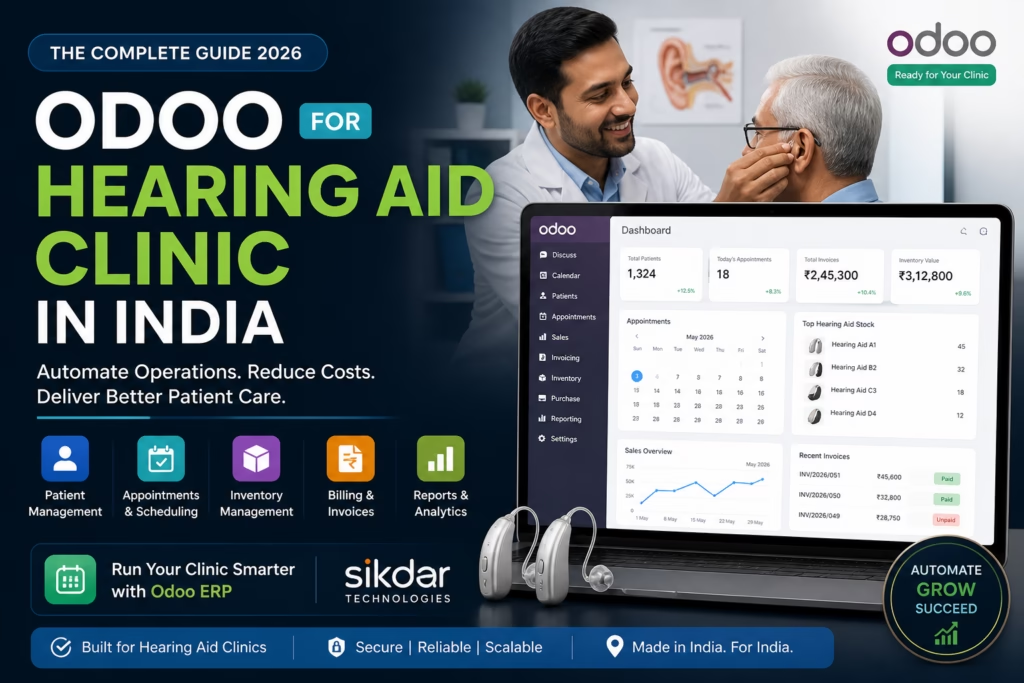
How to Manage a Hearing Aid Clinic Without Spreadsheets — A Complete Odoo Guide | Sikdar Technologies ERP Solutions Healthcare Tech India 2026 · By Sikdar Technologies · May 2026 How to Manage a Hearing Aid Clinic Without Spreadsheets — A Complete Odoo Guide Most hearing aid clinic owners spend more time fixing Excel formulas than helping patients hear better. There’s a smarter way. If you are looking for Odoo for hearing aid clinic in India, this guide will show you exactly how to automate your entire clinic using Odoo ERP. Patient appointments logged in one file. Inventory tracked in another. Billing sitting in a third spreadsheet that only one person knows how to use. Staff scheduling scrawled in a WhatsApp group. Odoo ERP for hearing aid clinics brings these systems together so your team can work from one single source of truth. Sound familiar? You’re not alone. Thousands of audiology clinics, hearing care centres, and ENT practices across India — from Mumbai to Kolkata, Bangalore to Bhopal — are stuck in this exact trap. Manual processes that worked when you had 20 patients a month simply break down when you have 200. The solution isn’t to hire more staff to manage more spreadsheets. The solution is Odoo — the world’s leading open-source ERP platform — implemented the right way, for your specific business. This guide, prepared by the team at Sikdar Technologies, walks you through exactly how Odoo transforms hearing aid clinic operations: what it does, what it costs, and why it’s the most intelligent investment a clinic owner in India can make today. What Is Odoo for Hearing Aid Clinics in India? Odoo is a modular, all-in-one business management platform used by over 12 million users globally across manufacturing, retail, healthcare, and professional services. In India, adoption has surged dramatically as businesses seek cost-effective alternatives to expensive ERPs like SAP or Oracle. Odoo ERP Development Services in India For a hearing aid clinic specifically, Odoo brings together everything you currently manage in disconnected tools — patient records, appointments, inventory, purchases, invoicing, payroll, and reporting — into one unified system your entire team can use. Why Indian Hearing Aid Clinics Are Switching to Odoo India’s hearing healthcare market is growing rapidly. With over 63 million people in India estimated to have significant hearing loss (WHO data), the demand for professional hearing care clinics is accelerating — particularly in Tier 1 and Tier 2 cities. With that growth comes operational complexity that spreadsheets simply cannot handle: Multiple clinic branches across cities High-value inventory (hearing aids costing ₹15,000 to ₹3,00,000 per unit) Insurance and government scheme billing (ADIP, CGHS, ESIS) Audiologist scheduling and certification tracking Patient follow-up cycles (3-month, 6-month, annual) Warranty and repair management The 7 Biggest Problems Spreadsheets Create for Hearing Aid Clinics If you recognise three or more of these, you need an ERP today — not next quarter. Problem 01 Inventory Errors That Cost You Money Hearing aids are expensive, serialised inventory. One missed entry means you think you have stock when you don’t — or you over-order and lock up capital. No automatic reorder alerts, no serial number tracking. Problem 02 Double-Booked Appointments & No-Shows When appointments are managed through phone calls and a diary, double bookings happen constantly. No-show reminders aren’t sent automatically. Staff absence = zero visibility into pending appointments. Problem 03 Billing Mistakes & Delayed Collections Manual invoicing is slow, error-prone, and hard to reconcile. Clinics frequently undercharge, miss follow-up billing for accessories, or lose track of EMI-based payment plans entirely. Problem 04 No Patient History at Your Fingertips When a patient calls about a problem, your staff should pull up their full history in 10 seconds. With spreadsheets, it’s a 10-minute hunt across three files — if the data is even there. Problem 05 Branch Visibility Is Impossible Multiple locations means manually compiling data from multiple files. By the time the consolidated report is ready, it’s already outdated and decisions have already been made on guesswork. Problem 06 Data Security & Access Control Spreadsheets have no meaningful access control. A junior receptionist has the same access to financial data as the clinic owner. One accidental deletion and the data may be gone permanently. Problem 07 No Business Intelligence Growth requires data. Which treatments generate the most revenue? Which hearing aid brands have the highest return rate? Spreadsheets cannot answer these quickly. Odoo answers them in real time with one click. How Odoo Solves Each Problem — Module by Module Odoo is built around modules. You activate what you need and skip what you don’t. For a hearing aid clinic, these are the core modules that deliver immediate impact. Module 1 Odoo Inventory — End Serial Number Chaos Every hearing aid that enters your clinic is logged with its serial number, brand, model, cost price, and supplier. When it is sold, fitted, or sent for repair, Odoo tracks it automatically. No manual entries. No reconciliation at month-end. Many clinics choose Odoo for hearing aid clinic India to gain reliable serialised tracking and automated reorder rules. Serial and lot number tracking per device Automated reorder rules (e.g., reorder Signia Pure C&G when stock drops below 3 units) Multi-location inventory across branches and warehouses Supplier lead time tracking and purchase order automation Warranty period tracking per serial number Real-world result: A mid-size clinic in West Bengal reduced inventory shrinkage by 34% within 6 months of Odoo implementation, simply by moving from manual stock registers to Odoo’s serialised tracking. Module 2 Odoo CRM — Never Lose a Lead or a Patient In hearing care, the sales cycle is long. A prospective patient may enquire online, visit for a hearing test, take a trial period, and only convert weeks later. Without a CRM, these leads fall through the cracks. Lead tracking from website, phone, walk-in, and referral Automated follow-up reminders (trial period expiry, 6-month service due) Customer segmentation (paediatric, geriatric, corporate, insurance) Lost lead analysis — why are patients choosing competitors? Sales performance tracking per audiologist

google.com, pub-8966458381222183, DIRECT, f08c47fec0942fa0
Cloud & DevOps, Odoo ERP & Business Systems, Software Development, System Architecture & APIs

Odoo Healthcare ERP Customization India (2026 Guide)

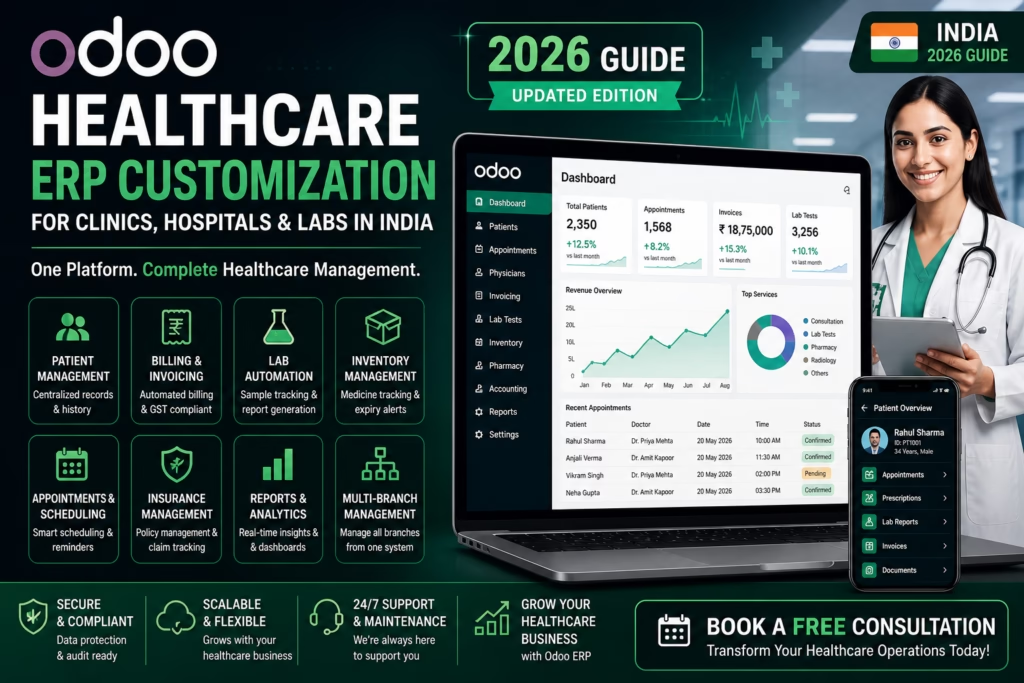
Odoo Healthcare ERP Customization in India | Sikdar Technologies Odoo Healthcare Odoo Customization for Healthcare: What’s Possible and What to Expect Healthcare businesses are drowning in disconnected software. Learn how custom Odoo implementations can unify your operations — from patient management to billing — without the enterprise price tag. 12 min read By Sikdar Technologies Updated May 2025 If you’re running a clinic, diagnostic lab, hospital chain, or healthcare startup, chances are you’re managing patients in one system, billing in another, inventory in a spreadsheet, and staff schedules in a WhatsApp group. This isn’t just inefficient — it’s a liability. Odoo, when customized correctly, can change all of that. What Is Odoo — and Why Does Healthcare Need Customization? Odoo is an open-source ERP (Enterprise Resource Planning) platform that covers everything from CRM to accounting, HR, inventory, and more. Out of the box, it’s powerful for general businesses. But healthcare has unique requirements: patient privacy regulations, appointment workflows, diagnostic report management, insurance claims, and clinical compliance. That’s where customization comes in. With the right development partner — like Sikdar Technologies — Odoo can be transformed into a full-featured healthcare management system tailored to how your organization actually works. Odoo’s modular architecture means you can start with just the modules you need and expand over time — without replacing your entire system. Real-World Use Cases in Healthcare Here’s how organizations across the healthcare spectrum are using customized Odoo today: Patient Management Centralized records, appointment booking, follow-up reminders, and medical history — all in one place. Doctor Scheduling Smart scheduling with availability tracking, auto-assignment, and conflict resolution across multiple departments. Billing & Insurance Automated invoicing, insurance claim tracking, co-pay management, and GST-compliant reporting for Indian healthcare businesses. Lab & Diagnostics Sample tracking, report generation, lab workflow automation, and patient result notifications via SMS/email. Pharmacy Inventory Expiry tracking, reorder alerts, batch management, and integration with billing for seamless dispensing workflows. HR & Payroll Staff onboarding, shift management, attendance tracking, and automated payroll for clinical and admin teams. Key Benefits of Customizing Odoo for Healthcare Single source of truth — all patient, financial, and operational data in one unified system, eliminating data silos and manual reconciliation. Cost-effective scalability — Odoo’s open-source foundation means no per-user licensing traps. Scale from a single clinic to a 50-branch network without budget shocks. Workflow automation — reduce manual tasks like appointment confirmations, invoice generation, and stock reorder by up to 70%, freeing staff for patient care. Custom reporting & analytics — dashboards built around your KPIs — bed occupancy, revenue per department, claim approval rates, or doctor performance metrics. Compliance-ready architecture — configurable for HIPAA-aligned data handling, role-based access control, and audit trails required in regulated healthcare environments. Patient experience improvements — online booking portals, SMS/email reminders, and digital report delivery build trust and reduce no-shows by 30–40%. What Does It Cost? A Realistic Breakdown Costs vary significantly based on the scope of customization, number of users, and integrations required. Here’s a transparent overview: Project Scope Suitable For Estimated Cost (INR) Timeline Basic SetupOdoo Community + 2–3 core modules Single clinic / solo practice ₹80,000 – ₹1,50,000 4–6 weeks Standard CustomizationCustom modules + integrations Polyclinic / diagnostic lab ₹2,50,000 – ₹6,00,000 2–4 months Enterprise-Grade BuildFull ERP + AI + multi-branch Hospital chain / healthtech startup ₹8,00,000 – ₹25,00,000+ 4–10 months Odoo Enterprise LicenseSaaS or on-premise hosting Teams needing official support ~₹3,000 – ₹6,000 / user / year — Note: Sikdar Technologies can help you evaluate whether Odoo Community (free) or Enterprise best fits your needs and budget. Business Scenarios: How It Works in Practice 1 A diagnostic lab with 3 branches in West Bengal Challenge Manual sample tracking, delayed report delivery, billing errors, and no visibility into branch-level performance. Odoo Solution Centralized patient database, barcode-based sample tracking, automated WhatsApp report delivery, and a real-time dashboard comparing branch revenue, test volumes, and turnaround times. Outcome 60% reduction in report delivery time. 40% fewer billing disputes. Management gained full operational visibility in one screen. 2 A multi-specialty clinic looking to go digital Challenge Paper-based records, phone-only booking, no follow-up system, and accounting done manually in Tally. Odoo Solution Online patient portal with appointment booking, electronic health records (EHR) module, automated follow-up reminders, and Tally migration to Odoo Accounting with GST compliance. Outcome 35% increase in patient bookings. Staff admin time cut by half. Fully compliant GST reports generated in minutes. 3 A healthtech startup building a patient engagement platform Challenge Needed a scalable backend for patient onboarding, doctor-patient communication, subscription billing, and AI-driven health insights. Odoo Solution Custom Odoo backend integrated with a React frontend, AI module for risk flagging (built by Sikdar Technologies), recurring subscription billing, and a mobile-ready API layer. Outcome Launched MVP in 14 weeks. Raised pre-seed funding with a working product demo. Onboarded first 500 patients within 60 days. Why Sikdar Technologies? There’s no shortage of Odoo developers. The difference is whether your partner understands your business, not just the code. 8+ Years building enterprise software for regulated industries 50+ Successful Odoo implementations across healthcare, retail, and logistics AI Native AI & automation capabilities built into every deployment At Sikdar Technologies, we don’t just configure Odoo — we architect systems. Our team combines Odoo expertise with AI, automation, and deep domain knowledge to build healthcare software that scales with your organization. We work with clinics, hospitals, diagnostic labs, and digital health startups across India and beyond. We also offer post-deployment support, staff training, and ongoing feature development — because a healthcare system isn’t a one-time project, it’s a long-term partnership. What to Expect: The Implementation Process A typical Sikdar Technologies engagement follows a structured process designed to minimize risk and maximize adoption: 1 Discovery (1–2 weeks) — Understanding your workflows, pain points, compliance requirements, and integration needs through structured workshops. 2 Architecture & Proposal — A clear technical blueprint with module selection, custom development scope, cost estimate, and timeline. 3 Development & Testing — Agile sprints with regular demos. You see working software every 2

google.com, pub-8966458381222183, DIRECT, f08c47fec0942fa0
Cloud & DevOps, Odoo ERP & Business Systems, Software Development, Uncategorized

Best ERP Software for Hearing Aid Business India (2025 Guide)

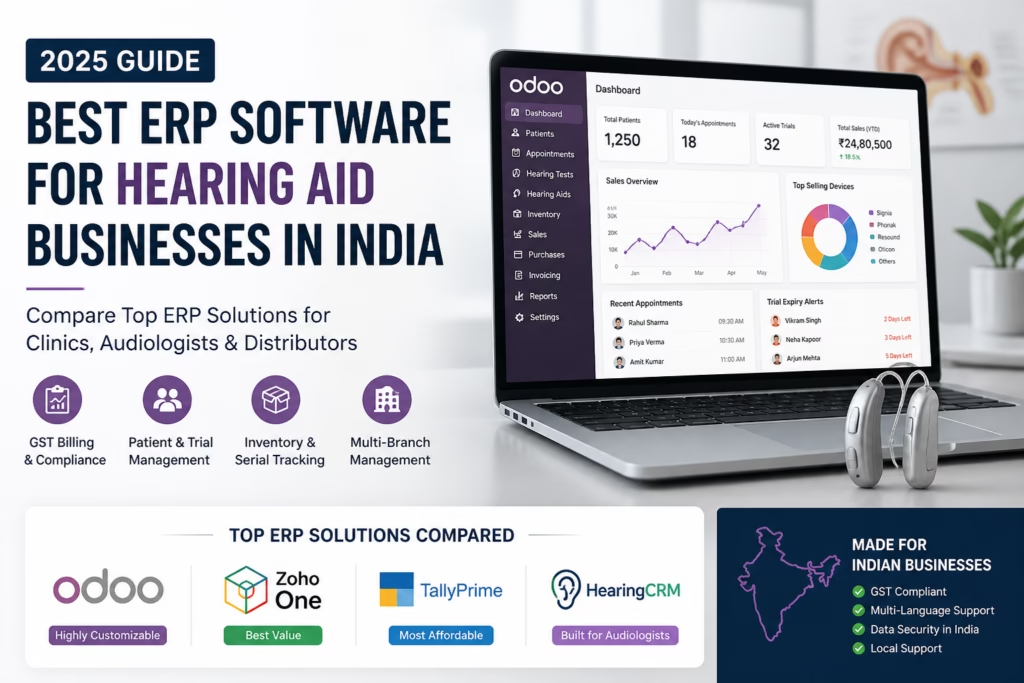
Best ERP Software for Hearing Aid Clinics in India (2025) – Top 5 Compared Best ERP Software for Hearing Aid Businesses in India (2025) 🇮🇳 India Edition · 2025 Guide Best ERP Software forHearing Aid Businesses Cut inventory errors, automate patient follow-ups, and scale your clinic with the right ERP — built for India. View Top Picks → Compare Features Why ERP? Benefits Comparison Top Picks FAQ The Problem Managing a Hearing Aid Clinic Is Complex Without the right tools, clinics across India lose revenue daily to manual errors, stock mismatches, and missed patient follow-ups. 📦 Inventory Blind Spots No real-time stock visibility means orders get delayed or duplicated, costing thousands every month. 💸 Revenue Leakage Untracked discounts and manual billing result in consistent revenue loss across branches. 📅 Missed Follow-ups Patients forget trial period ends and device servicing — and without automation, so does your clinic. 📊 No Business Insights Spreadsheets can’t show which device sells most, who your top audiologist is, or your real margins. 43%revenue lost via manual billing errors 2.3×faster patient processing with ERP ₹8L+avg. annual savings post-implementation 68%clinics plan ERP adoption by 2026 The Solution Life Before vs. After ERP See how ERP transforms day-to-day clinic operations from the ground up. ❌ Without ERP ✖ Stock counted manually each week ✖ Patient files stored in physical folders ✖ Follow-up reminders missed regularly ✖ GST billing done separately in Tally ✖ No visibility into staff performance ✖ Multi-branch coordination via WhatsApp ✅ With ERP ✔ Real-time inventory with auto reorder alerts ✔ Digital patient records with full audit trail ✔ Automated SMS/email follow-up campaigns ✔ GST-compliant invoicing built right in ✔ Live dashboards and KPI tracking ✔ Unified view across all branches Side-by-Side ERP Feature Comparison We evaluated the top platforms on features critical to hearing aid clinics in India. Feature Odoo ERP Zoho One Tally Prime HearingCRM Inventory Management ✔ ✔ ✖ ✔ Appointment Scheduling ✔ ◑ ✖ ✔ GST Billing (India) ✔ ✔ ✔ ✔ Patient CRM ◑ ✔ ✖ ✔ Multi-Branch Support ✔ ✔ ◑ ✔ Automated Follow-ups ✔ ✔ ✖ ✔ Trial Period Tracking ◑ ✖ ✖ ✔ Mobile App ✔ ✔ ◑ ◑ Open Source / Self-host ✔ ✖ ✖ ✖ Starting Price (India) ₹8,000/mo ₹5,500/mo ₹1,800/mo ₹12,000/mo ✔ Full support  ◑ Partial  ✖ Not available  · Pricing indicative for small clinics. Editor’s Picks Top ERP Platforms for 2025 Recommendations based on feature depth, India compliance, pricing, and real-world usability. 🏆 Best Overall Odoo ERP Best for scalability & full customisation Odoo is a fully modular, open-source ERP that can be tailored precisely for hearing aid workflows — audiogram records, device warranty tracking, and India-localized GST. Its self-hosting option makes it ideal for growing multi-branch clinics that want complete data control. Open SourceMulti-Branch GST ReadySelf-HostableAPI Access ₹8K/ month onwards Zoho One Best for small & growing clinics Zoho One bundles CRM, invoicing, email campaigns, and analytics in one subscription. Easy to set up without IT help, integrates well with WhatsApp, and is loved by independent hearing aid dealers looking for an affordable all-in-one suite. Easy SetupWhatsApp CRM 40+ AppsCloud-First ₹5.5K/ month onwards Tally Prime Best for accounting-only needs Tally remains India’s most trusted accounting software — unbeatable for GST compliance, payroll, and financial reporting. It lacks CRM depth for hearing aid businesses, but if your patient management is handled elsewhere, Tally is solid and CA-friendly. GST ExpertPayroll Offline FirstCA Friendly ₹1.8K/ month onwards HearingCRM Best industry-specific solution Built exclusively for audiology and hearing aid businesses — audiogram storage, trial period management, device serial number tracking, and warranty reminders out-of-the-box. Niche, but the most feature-complete option for specialized clinic chains. Audiogram RecordsTrial Tracking Warranty AlertsNiche Built ₹12K/ month onwards Common Questions Frequently Asked Questions Everything clinic owners ask before making the switch to ERP. Which ERP is best for a single-branch clinic in India? + Zoho One is ideal for single-branch clinics — it offers the best balance of affordability and features, including CRM, billing, and basic inventory, all accessible from a mobile app without any technical setup. How much does ERP implementation cost in India? + Cloud solutions like Zoho start from ₹5,500/month with minimal setup fees. Custom Odoo implementations typically involve ₹50,000–₹2,00,000 in one-time setup costs plus ₹8,000–₹20,000/month in licensing. Is Tally enough for managing a hearing aid business? + Tally is excellent for GST compliance and accounting but lacks patient CRM, appointment scheduling, and hearing aid-specific inventory management. A unified ERP is more efficient long-term. Can ERP help with trial period management for hearing aids? + Yes — platforms like HearingCRM and customized Odoo setups can track individual device trial periods, send automated patient reminders, and notify staff when trials are expiring. This directly reduces device return losses. How long does ERP implementation take? + Cloud ERPs like Zoho can go live in 1–2 weeks. A full Odoo implementation with custom modules typically takes 4–10 weeks depending on clinic size and data migration complexity. Is my patient data safe in a cloud ERP? + Reputable ERPs use enterprise-grade AES-256 encryption and comply with India’s IT Act standards. Odoo’s self-hosting option lets you run the entire system on your own servers if data sovereignty is critical. Ready to Modernise Your Clinic? Book a free consultation and we’ll help you choose the right ERP — no pushy sales, just honest advice tailored to your business. Book a Free Demo →

google.com, pub-8966458381222183, DIRECT, f08c47fec0942fa0
Business & Digital Strategy, Software Development, Web & Mobile Development

Mobile App Development Cost in India (2026 Guide) | Sikdar Technologies

Why Mobile App Cost Confuses Most Businesses One of the first—and most confusing—questions business owners and startup founders ask is: “How much does it really cost to build a mobile app in India?” The problem is not the question—it’s the answers available online. You’ll see estimates ranging from ₹50,000 to ₹50,00,000+, often with no explanation of what’s included. This confusion leads to poor budgeting, unrealistic expectations, wrong technology decisions, and in many cases, failed app projects. This 2026-ready guide explains mobile app development cost in India clearly, practically, and transparently—so you can make confident, business-focused decisions, even if you’re completely non-technical. Why India Is a Global Hub for Mobile App Development India is one of the world’s most trusted destinations for mobile app development—and for good reason. Key Reasons Companies Choose India Highly skilled developers with global project experience Expertise in Flutter, React Native, Node.js, Python, AWS 60–70% lower development cost compared to US & Europe Mature startup & enterprise ecosystem Strong English communication and agile processes That’s why startups, SMEs, and enterprises worldwide outsource mobile app development to India. Mobile App Development Cost in India (Realistic 2026 Ranges) 1. Basic Mobile App (₹1.5 – ₹3 Lakhs) Best suited for MVPs, students, early-stage startups, and small businesses. Includes: Static or simple UI Basic user authentication Simple database Limited screens (5–7) Android or iOS platform Typical Use Cases: Business profile app Portfolio app Simple appointment or booking app ⏱️ Timeline: 2–3 weeks 2. Medium Complexity App (₹4 – ₹8 Lakhs) Ideal for startups testing market demand and businesses going digital. Includes: User login & role management Backend APIs & database Payment gateway integration Push notifications Admin panel Android + iOS (cross-platform) Typical Use Cases: E-commerce apps Service booking platforms Food delivery MVPs ⏱️ Timeline: 2–3 months 3. High-End / Enterprise App (₹10 – ₹25+ Lakhs) Designed for scale, performance, and long-term growth. Includes: Advanced UI/UX & animations Real-time features (chat, tracking, live updates) AI/ML, analytics, or dashboards Cloud hosting (AWS / GCP / Azure) High-level security & compliance Continuous maintenance & monitoring Typical Use Cases: Uber-like apps Fintech platforms Healthcare & telemedicine apps SaaS products ⏱️ Timeline: 4–5+ months Key Factors That Decide Mobile App Development Cost 1. App Complexity More features mean: More development hours More testing Higher long-term maintenance Simple rule: More value = higher cost (but better ROI). 2. Platform Choice Android only: Lowest initial cost iOS only: Slightly higher due to ecosystem standards Android + iOS: Best ROI using Flutter or React Native 3. UI/UX Design Custom UI/UX directly affects: User engagement App retention Conversion rates A well-designed app may cost more upfront—but generates higher lifetime revenue. 4. Backend & Cloud Infrastructure Cost varies depending on: Number of users Data volume Security & compliance needs Real-time processing Cloud services usually follow pay-as-you-scale pricing. 5. Third-Party Integrations Common integrations include: Payment gateways (Razorpay, Stripe) Google Maps & location services SMS / OTP services Analytics & CRM tools  Many third-party tools have monthly or per-usage costs. Real-World Use Cases (India-Based Projects) Startup MVP A logistics startup built a Flutter-based MVP for ₹5.2 Lakhs, validated demand, then scaled to enterprise level after funding. Business Automation App A manufacturing firm digitized internal operations for ₹7 Lakhs, saving ₹18 Lakhs annually in manual operational costs. Healthcare Application A secure appointment booking & teleconsultation app built for ₹12 Lakhs, compliant with healthcare data standards. Benefits of Developing a Mobile App in India 60–70% cost savings vs US/Europe Access to full-stack development teams Faster time-to-market Strong post-launch support & maintenance Ideal for startups, SMEs, and enterprises Why Choose Sikdar Technologies We don’t just develop apps—we create business-ready digital products. Our Core Strengths ✔️ Custom mobile app development✔️ Flutter, React Native, Node.js specialists✔️ Transparent pricing—no hidden costs✔️ Startup & enterprise experience✔️ UI/UX, backend & cloud under one roof Industries We Serve Healthcare Logistics Fintech Education E-commerce SaaS platforms Mobile App Maintenance Cost After Launch Annual maintenance typically costs 15–25% of the initial development cost, covering: Bug fixes & performance improvements Server & cloud updates Security patches Feature enhancements This ensures your app stays secure, fast, and scalable. Common Mistakes Businesses Make Choosing the cheapest quote Ignoring scalability planning Poor requirement documentation No long-term support strategy  These mistakes often cost more than proper development. Conclusion: What Should You Budget in 2026? If you’re planning a mobile app in India: MVP / Startup: ₹4–6 Lakhs Growing Business: ₹7–12 Lakhs Enterprise / SaaS: ₹15 Lakhs+ The smartest strategy is to start lean, validate early, and scale gradually. Get a Free App Cost Estimate Don't let another lead slip through the cracks. Contact Sikdar Technologies for a free consultation and discover how Mobile Application can revolutionize your customer acquisition process. Schedule Consultation Frequently Asked Questions Can I build an app under ₹2 Lakhs? Yes, but only for very basic apps with limited features and no scalability. Is Flutter cheaper than native development? Yes. Flutter reduces cost by 30–40% for Android + iOS apps. Who owns the source code? You do. Full source code ownership is provided after project delivery. Uncategorized Mobile App Development Cost in India (2026 Guide) | Sikdar Technologies Sikdar Technologies AI & Automation, Business & Digital Strategy, Uncategorized Why AI Customer Service Chatbots Fail and the Framework That Actually Works Sikdar Technologies Business & Digital Strategy, Uncategorized The SaaS vs Custom Software Decision: A Framework for CTOs | Sikdar Technologies Sikdar Technologies AI & Automation, Uncategorized AI Agents for Indian MSMEs: 2026 Complete Guide14 Sikdar Technologies Business & Digital Strategy, Startup & Growth Technical Debt: When to Fix It vs When to Ship Faster 2026 Guide Sikdar Technologies

google.com, pub-8966458381222183, DIRECT, f08c47fec0942fa0
Industry Solutions, Odoo ERP & Business Systems, Software Development

Odoo CRM Implementation Guide | Lead Management with Odoo ERP

Transform Your Lead Management: How Odoo ERP Streamlines Customer Acquisition In today’s competitive business landscape, the difference between thriving companies and struggling ones often comes down to one critical factor: how effectively they manage their leads. Every potential customer who shows interest in your product or service represents a valuable opportunity—but only if you have the right systems in place to capture, track, and convert that interest into revenue. For business owners, startup founders, and decision-makers navigating the complexities of customer acquisition, the challenge is clear: traditional methods like spreadsheets, disconnected tools, and manual tracking simply don’t scale. As your business grows, so does the complexity of managing leads across multiple channels—website inquiries, email campaigns, social media, trade shows, and referrals. This is where Odoo ERP emerges as a game-changing solution. As an integrated enterprise resource planning platform, Odoo doesn’t just help you track leads—it transforms your entire customer acquisition process into a streamlined, data-driven system that drives predictable growth. The Hidden Cost of Poor Lead Management Before exploring solutions, let’s understand the problem. Most businesses lose revenue not because they lack leads, but because they mismanage them. Consider these common scenarios: Lost opportunities: A potential customer submits an inquiry through your website, but the notification gets buried in email. By the time someone follows up three days later, the lead has already chosen a competitor. Duplicate efforts: Multiple sales team members contact the same lead because information isn’t centralized, creating a unprofessional impression and wasting valuable time. Inconsistent follow-up: Without automated reminders and structured workflows, hot leads go cold while your team focuses on urgent but less valuable tasks. Missing insights: When lead data is scattered across email, spreadsheets, and sticky notes, you can’t identify which marketing channels deliver the best ROI or which sales strategies actually work. According to research, companies lose up to 80% of their leads due to lack of proper follow-up and organization. That’s not just missed revenue—it’s wasted marketing budget, damaged brand reputation, and competitive disadvantage. What Is Odoo ERP and Why It Matters for Lead Management Odoo is an open-source, fully integrated business management software that includes powerful CRM (Customer Relationship Management) capabilities specifically designed to optimize lead handling. Unlike standalone tools that require complex integrations, Odoo provides a unified platform where every aspect of your business—from marketing and sales to accounting and inventory—works together seamlessly. Core Features for Lead Management Centralized lead capture: Automatically capture leads from your website, email campaigns, social media, and third-party platforms into a single database. Intelligent lead scoring: Automatically prioritize leads based on behavior, demographics, and engagement levels, ensuring your team focuses on high-value opportunities first. Automated workflows: Set up rules that automatically assign leads to sales representatives, trigger follow-up emails, schedule tasks, and move leads through your pipeline. 360-degree customer view: Access complete lead history—every email, call, meeting, and interaction—in one place, enabling personalized and contextual communication. Built-in communication tools: Email integration, VoIP calling, and SMS capabilities mean you never have to leave the platform to engage with leads. Real-time analytics: Dashboards and reports provide instant visibility into pipeline health, conversion rates, team performance, and revenue forecasts. The key advantage? Everything is connected. When a lead converts to a customer, their information flows automatically into invoicing, project management, and support systems—eliminating data re-entry and ensuring consistency across your entire organization. From Lead Capture to Customer Conversion: The Odoo Advantage Let’s walk through the complete lead lifecycle and see how Odoo transforms each stage: Stage 1: Lead Generation and Capture The Challenge: Leads arrive from multiple sources—website forms, email campaigns, LinkedIn messages, trade show contacts, referrals—and capturing them manually is time-consuming and error-prone. The Odoo Solution: Odoo’s Website Builder includes built-in contact forms that automatically create lead records in your CRM. Email integration captures leads from email campaigns and forwards. Social media connectors pull inquiries from platforms like LinkedIn and Facebook. You can even import leads in bulk from events or purchased lists. Real-World Impact: A mid-sized software company implemented Odoo’s lead capture system and reduced manual data entry by 15 hours per week, allowing their sales team to focus on actual selling rather than administrative tasks. Stage 2: Lead Qualification and Scoring The Challenge: Not all leads are created equal. Some are ready to buy, others are just browsing, and many aren’t a good fit at all. Wasting time on low-quality leads kills productivity. The Odoo Solution: Odoo’s lead scoring engine automatically evaluates leads based on criteria you define—company size, industry, engagement level, budget indicators, and specific actions like downloading a whitepaper or requesting a demo. High-scoring leads are flagged and prioritized, while low-scoring leads can be nurtured through automated drip campaigns. Real-World Impact: A manufacturing equipment distributor using Odoo increased their conversion rate by 34% simply by implementing lead scoring rules that helped their sales team prioritize enterprise-level prospects over small hobbyist inquiries. Stage 3: Lead Assignment and Distribution The Challenge: Leads need to reach the right person quickly. Manual assignment creates delays, uneven workloads, and territorial disputes among sales staff. The Odoo Solution: Create automated assignment rules based on any criteria—geographic territory, product line, lead source, company size, or round-robin distribution for balanced workloads. The system assigns leads instantly and notifies the assigned salesperson via email or mobile notification. Real-World Impact: A professional services firm reduced lead response time from 6 hours to 15 minutes by implementing automated assignment rules in Odoo, dramatically improving their competitive win rate. Stage 4: Lead Nurturing and Follow-Up The Challenge: Most leads aren’t ready to buy immediately. They need education, relationship-building, and perfect timing—but manual follow-up is inconsistent and easy to forget. The Odoo Solution: Automated workflows handle nurturing systematically. Send personalized email sequences, schedule follow-up tasks, set reminders for call-backs, and trigger actions based on lead behavior. For example, if a lead opens five emails but doesn’t respond, automatically escalate to a phone call. If they visit your pricing page three times, alert the sales rep to reach out immediately. Real-World Impact: A B2B consulting firm implemented

google.com, pub-8966458381222183, DIRECT, f08c47fec0942fa0
Software Development

The Hidden Cost of “Almost Working” Software | Sikdar Technologies

The Hidden Cost of “Almost Working” Software: How Businesses Lose Money Without Realizing It INTRODUCTION In many growing businesses, software isn’t completely broken.It logs in. It processes data. It generates reports. Teams use it every day.And yet—performance stalls, decisions slow down, teams create workarounds, and growth feels harder than it should. This is the cost of “almost working” software. Not failed systems. Not crashed platforms. But systems that function while quietly draining time, money, and opportunity. When Software Works… But Not Well Enough Most organizations don’t replace software because it stops working. They replace it because the business outgrows it. “Almost working” software is dangerous precisely because it appears acceptable on the surface. It doesn’t trigger alarms or emergency meetings. Instead, it creates small, compounding inefficiencies that only become visible when growth slows or complexity increases. The First Hidden Cost: Time Lost in Small Delays One slow report.One manual export. Individually, these delays seem insignificant. Collectively, they add up to hundreds of lost hours every month. Common examples: Sales teams manually updating CRM fields Finance teams reconciling data across multiple tools Operations teams exporting reports to Excel to “make sense” of numbers Managers waiting days for accurate performance insights Time lost here doesn’t show up as an expense line—but it directly impacts productivity, speed, and morale. The Second Cost: Shadow Systems and Data Fragmentation When core systems don’t fully support real workflows, employees adapt. They build: Excel sheets Google Docs Local tools Personal tracking systems This is known as shadow IT, and it’s one of the clearest signs that existing software is no longer fit for purpose. The problem isn’t the spreadsheets—it’s the loss of a single source of truth. As data fragments: Reports contradict each other Leadership loses confidence in numbers Decision-making becomes slower and riskier Compliance and audit risks increase At this point, the business isn’t just inefficient—it’s exposed. The Third Cost: Decision Paralysis at the Leadership Level Modern businesses rely on data-driven decisions. But when software is “almost working,” data is often: Delayed Incomplete Hard to trust Difficult to customize Executives start asking: “Are these numbers accurate?” “Is this data up to date?” “Why does this report look different from last month?” When confidence in data drops, leadership hesitates.And hesitation costs more than wrong decisions. Opportunities are missed not because teams lack intelligence—but because systems fail to provide clarity at the right time. The Fourth Cost: Scaling Amplifies Every Weakness At small scale, inefficiencies are tolerable. At growth stage, they become blockers. As businesses scale: Teams grow Transactions increase Processes become more complex Compliance requirements tighten Software that once “worked fine” starts to crack under pressure. What happens then? New features become expensive or impossible Integrations fail Performance degrades Support becomes reactive instead of strategic Growth exposes the limits of systems that were never designed to scale. The Fifth Cost: Technical Debt That Silently Grows Every workaround, shortcut, or rushed customization creates technical debt. This debt: Slows down future development Increases maintenance costs Makes onboarding harder Raises the risk of system failure The real danger is that technical debt compounds quietly—until change becomes painful, expensive, or risky. At this stage, companies often say: “We should have fixed this earlier.” Why Businesses Delay Fixing “Almost Working” Software Despite the costs, many organizations delay action. Why? Common reasons include: “It’s good enough for now” “Replacing it feels risky” “We don’t want to disrupt operations” “The ROI isn’t clear” Ironically, doing nothing feels safer than change, even when inaction is more expensive long-term. The problem isn’t lack of intent—it’s lack of visibility into the real cost. What High-Performing Organizations Do Differently Enterprises that scale successfully treat software as a strategic asset, not just an operational tool. They: Audit systems regularly Align software with business goals Eliminate manual dependencies Design for future scale, not current comfort Invest in platforms that evolve with the business Most importantly, they ask the right question: “Is our software helping us grow—or just helping us cope?” The Role of Modern ERP and Custom Systems Modern ERP platforms and custom-built systems are designed to solve exactly these challenges. When implemented correctly, they: Centralize data across departments Reflect real business workflows Enable faster, confident decisions Scale without performance loss Reduce long-term operational cost But technology alone isn’t the solution. The real value comes from business-first implementation—where systems are designed around how the organization operates today and where it’s headed tomorrow. Where Many ERP and Software Projects Fail Ironically, some companies replace “almost working” software with systems that create new problems. Why? Poor requirement analysis Over-customization Lack of ownership Vendor-led decisions instead of business-led ones Successful transformation requires: Clear business objectives Phased implementation Transparent milestones Long-term support mindset This is where experienced technology partners make the difference. How Sikdar Technologies Approaches This Problem Ironically, some companies replace “almost working” software with systems that create new problems. Why? Poor requirement analysis Over-customization Lack of ownership Vendor-led decisions instead of business-led ones Successful transformation requires: Clear business objectives Phased implementation Transparent milestones Long-term support mindset This is where experienced technology partners make the difference. Final Thought for Business Leaders If your software: Works but feels slow Runs but requires manual fixes Delivers reports you don’t fully trust Limits your ability to scale Then it’s not neutral—it’s costing you. The most expensive software problem is not failure.It’s settling for systems that almost work. Final Thought for Business Leaders If your software: Works but feels slow Runs but requires manual fixes Delivers reports you don’t fully trust Limits your ability to scale Then it’s not neutral—it’s costing you. The most expensive software problem is not failure.It’s settling for systems that almost work. Thinking About Your Own Systems? If you’re unsure whether your current software is helping or holding you back, an honest review can uncover opportunities you didn’t know existed. At Sikdar Technologies, we help businesses assess, modernize, and scale their systems with clarity and confidence—so technology becomes a growth engine, not a silent cost. What is “almost working” software? Almost working”

google.com, pub-8966458381222183, DIRECT, f08c47fec0942fa0
Software Development

Why Custom Software Is a Smarter Long-Term Investment for Growing Businesses

How SMBs and Startups Can Choose the Right Technology Partner for Long-Term Growth For growing businesses—whether SMBs, enterprises, or funded startups—technology decisions are rarely just technical. They’re strategic. The software you choose today quietly shapes how efficiently you operate, how securely you scale, and how confidently you compete tomorrow. At Sikdar Technologies, we regularly speak with leadership teams who feel constrained by tools that once seemed convenient but now limit growth. This is where the conversation around custom software becomes critical—not as a cost, but as a long-term investment. This article explores why custom software increasingly proves to be the smarter choice for organizations planning beyond the next quarter. The Hidden Limitations of Off-the-Shelf Software Off-the-shelf software is designed for the “average” business. While that makes it quick to deploy, it also means compromises—many of which only surface as your organization grows. Common challenges include: Rigid workflows that force teams to adapt their processes to the software, not the other way around Feature overload, where you pay for capabilities you never use Limited integrations with existing or future systems Vendor dependency, including pricing changes, forced upgrades, or discontinued support Over time, these issues translate into inefficiencies, workarounds, and rising operational friction. What initially felt cost-effective can quietly become expensive—both financially and strategically. Custom Software and Long-Term ROI: Looking Beyond the Price Tag Custom software typically requires higher upfront investment. However, when evaluated over a 3–5 year horizon, the return often surpasses that of subscription-based tools. Key ROI drivers include: Process efficiency: Software built around your workflows reduces manual effort and errors Lower recurring costs: No per-user fees or escalating subscription tiers Longer software lifespan: Purpose-built systems evolve with your business rather than being replaced Competitive differentiation: Custom features that competitors cannot easily replicate Instead of paying indefinitely for partial solutions, organizations invest once in a system that directly supports their growth objectives. Scalability Without Reinvention Growing businesses rarely stay static. Custom software is designed with scalability in mind—allowing you to add users, features, and integrations without rebuilding your entire technology stack. This means: No forced migrations No feature ceilings No need to abandon systems that still work Stronger Security Posture With off-the-shelf platforms, your data security is tied to a vendor’s priorities. Custom software gives you full visibility and control over how data is stored, accessed, and protected. Benefits include: Security aligned with your risk profile and compliance needs Reduced exposure to mass-market vulnerabilities Custom access controls and audit trails Ownership and Strategic Control Perhaps most importantly, custom software belongs to you. You decide: When to upgrade Which features to build next How the system integrates with future technologies This level of control becomes increasingly valuable as digital operations become central to business strategy. When Does Custom Software Make Sense for SMBs? Custom software is no longer reserved for large enterprises. Many SMBs reach a tipping point where generic tools begin to slow them down rather than support them. Custom software often makes sense when: Your business relies on unique workflows that standard tools can’t support Multiple systems don’t communicate well, creating data silos Software costs keep increasing without proportional value You’re planning for scale, funding, or geographic expansion In these cases, custom development isn’t about complexity—it’s about clarity and alignment. A Strategic Technology Partnership—Not Just Code Successful custom software projects are not transactional. They require a deep understanding of business goals, operational realities, and long-term vision. At Sikdar Technologies, our role extends beyond development. We work closely with decision-makers to: Assess whether custom software is the right move Design solutions aligned with business outcomes Build systems that are maintainable, secure, and future-ready The result is technology that supports growth instead of reacting to it. Final Thoughts: Investing With the Future in Mind Custom software is not about replacing every tool you use. It’s about making intentional investments where technology becomes a competitive advantage rather than a constraint. For growing businesses thinking long-term, custom software offers: Predictable ROI Scalable foundations Stronger security and ownership If your current systems are holding you back—or if growth is on the horizon—it may be time to explore a more tailored approach. Is custom software only suitable for large enterprises? No. While large enterprises often benefit from custom software, many SMBs and funded startups reach a stage where off-the-shelf tools limit efficiency and growth. When workflows are unique, scaling is planned, or integration challenges arise, custom software becomes a practical and strategic choice—regardless of company size. How does custom software compare in cost to off-the-shelf solutions over time? Off-the-shelf software may appear cheaper initially, but recurring subscription fees, user-based pricing, add-ons, and workarounds can significantly increase long-term costs. Custom software typically involves a higher upfront investment but delivers stronger ROI over time through efficiency gains, lower recurring costs, and longer system lifespan. How long does it take to develop custom software? Timelines vary depending on complexity, scope, and integrations. A well-defined custom solution can take anywhere from a few weeks for a focused system to several months for enterprise-grade platforms. The key advantage is that development aligns directly with business priorities rather than unnecessary features. Is custom software more secure than off-the-shelf software? Custom software allows businesses to define security measures based on their specific risk profile, compliance requirements, and data sensitivity. Unlike mass-market platforms that are common targets for cyberattacks, custom-built systems reduce exposure and provide greater control over data access, encryption, and monitoring. How scalable is custom software as the business grows? Custom software is designed with scalability in mind. As your business expands, new features, users, integrations, and geographies can be added without replacing the entire system. This makes it a strong foundation for long-term growth and digital transformation. How do we know if custom software is the right decision for our business? Custom software makes sense when existing tools no longer align with your processes, when integrations become difficult, or when software costs rise without delivering proportional value. A strategic consultation can help assess whether customization is necessary—or if optimization

google.com, pub-8966458381222183, DIRECT, f08c47fec0942fa0
Business & Digital Strategy, Software Development

Custom Software Development Guide: From Idea to Launch

AI Automation for Small & Medium Businesses (SMBs): Practical Use Cases, Benefits, and Future Growth Introduction: Why SMBs Are Struggling to Scale Efficiently Small and Medium Businesses (SMBs) today face increasing pressure to grow faster, operate leaner, and compete with larger enterprises—all while managing limited resources. Manual processes, repetitive tasks, delayed decision-making, and rising operational costs often slow down progress. This is where AI Automation is becoming a game-changer. AI automation enables SMBs to streamline workflows, reduce human effort, improve accuracy, and make smarter decisions without requiring massive budgets or complex infrastructure. Once considered exclusive to large enterprises, AI-powered automation is now accessible, scalable, and highly impactful for growing businesses. In this blog, we explore how AI automation helps SMBs, real-world use cases, key benefits, and why partnering with an experienced technology provider like Sikdar Technologies is critical for long-term success. What Is AI Automation? AI Automation combines Artificial Intelligence (AI) with process automation to perform tasks that traditionally required human intervention. Unlike traditional rule-based automation, AI automation can: Learn from data Adapt to changing patterns Make predictions and recommendations Handle unstructured data like text, images, and voice For SMBs, this means automation that goes beyond basic task execution and actively contributes to business intelligence and efficiency. Why AI Automation Matters for Small & Medium Businesses SMBs operate in fast-moving environments where agility is essential. AI automation helps by: Reducing dependency on manual labor Improving operational efficiency Enabling faster decision-making Enhancing customer experience Lowering long-term costs Most importantly, AI automation allows SMBs to focus on growth and innovation, rather than being trapped in repetitive operational work. Key AI Automation Use Cases for SMBs AI-Powered Customer Support Automation Customer support is one of the most resource-intensive areas for SMBs. AI automation enables: Chatbots to handle common customer queries Automated ticket categorization and routing 24/7 customer assistance without additional staff Faster response times and improved satisfaction This allows small teams to deliver enterprise-level customer support efficiently. Learn More Sales and Lead Management Automation AI automation transforms sales operations by: Automatically qualifying leads Predicting customer intent Prioritizing high-value prospects Automating follow-ups and reminders SMBs can significantly increase conversion rates while reducing manual CRM management. Learn More Marketing Automation with AI Insights AI-powered marketing automation helps SMBs: Personalize email campaigns Optimize ad targeting Analyze customer behavior Predict campaign performance Instead of generic marketing efforts, businesses can deliver data-driven, personalized experiences at scale. Learn More Finance & Accounting Automation AI automation in finance reduces errors and saves time by: Automating invoice processing Expense categorization Payment reminders Financial forecasting and reporting This ensures better cash flow management and compliance without expanding finance teams. Learn More Operations & Workflow Automation From internal approvals to task assignments, AI automation can: Optimize workflows Reduce bottlenecks Improve productivity Ensure consistency across processes This is especially valuable for SMBs managing growing teams and increasing operational complexity. Learn More Real-World Example Scenarios (SMB-Focused) Example 1: Service-Based Startup A growing service company uses AI automation to manage customer inquiries, schedule appointments, and generate invoices automatically. The result is reduced response time and improved customer satisfaction. Example 2: E-commerce Business An SMB e-commerce brand uses AI automation to analyze customer behavior, recommend products, manage inventory alerts, and automate marketing campaigns—leading to higher sales and reduced operational overhead. Example 3: Professional Consulting Firm AI automation helps automate document processing, client onboarding, and reporting, allowing consultants to focus on strategic work instead of administrative tasks. Benefits of AI Automation for SMBs Cost Efficiency Automating repetitive tasks reduces labor costs and minimizes human errors. Improved Productivity Employees can focus on high-value activities rather than manual processes. Scalability AI automation systems grow with your business without linear cost increases. Better Decision-Making AI-driven insights provide data-backed recommendations in real time. Enhanced Customer Experience Faster responses, personalization, and consistency improve customer trust and loyalty. Common Myths About AI Automation for SMBs Myth 1: AI Automation Is Too ExpensiveReality: Scalable AI solutions can be tailored to SMB budgets with high ROI. Myth 2: AI Requires Technical ExpertiseReality: With the right partner, AI automation is implemented and managed seamlessly. Myth 3: AI Will Replace Human JobsReality: AI augments human work, allowing teams to focus on strategic growth. Why Sikdar Technologies Is the Right AI Automation Partner At Sikdar Technologies, we understand that SMBs require practical, result-driven AI solutions, not complex theories. What Sets Us Apart: Customized AI Automation Solutions tailored to your business needs Focus on real business problems and ROI Experience working with startups and growing businesses Seamless integration with existing systems Scalable solutions designed for long-term growth We act as a technology partner, not just a service provider—guiding businesses from strategy to implementation and beyond. How Sikdar Technologies Helps SMBs Get Started with AI Automation Our approach includes: Business Process Analysis – Identifying automation opportunities AI Strategy Design – Aligning AI solutions with business goals Implementation & Integration – Seamless deployment Monitoring & Optimization – Continuous performance improvement This ensures that AI automation delivers measurable impact from day one. The Future of AI Automation for SMBs AI automation is no longer optional—it is becoming a competitive necessity. SMBs that adopt AI early gain: Faster growth Operational resilience Stronger customer relationships Data-driven decision-making capabilities As AI technology evolves, businesses that invest now will be better positioned to lead in their industries. Conclusion AI automation empowers Small and Medium Businesses to operate smarter, faster, and more efficiently. By automating repetitive tasks, improving decision-making, and enhancing customer experiences, SMBs can unlock new growth opportunities without overstretching resources. With the right strategy and an experienced technology partner, AI automation becomes a powerful engine for sustainable business success. Related Post Odoo ERP Lead Management Guide The Hidden Cost of “Almost Working” Software | Sikdar Technologies Why Odoo ERP Is Replacing Legacy Systems for SMBs in 2026 Why Custom Software Is a Smarter Long-Term Investment for Growing Businesses

Powering Ideas, Shaping Futures

contact@sikdartechnologies.com

project@sikdartechnologies.com

© 2025 Sikdar Technologies Pvt Ltd