Claim Your FREE Website Audit—Limited Time Offer | Contact Us NOW!

Odoo ERP & Business Systems

Industry Solutions, Odoo ERP & Business Systems, Software Development, Startup & Growth, System Architecture & APIs

Odoo for Hearing Aid Clinic India (2026) | Automate & Reduce Costs

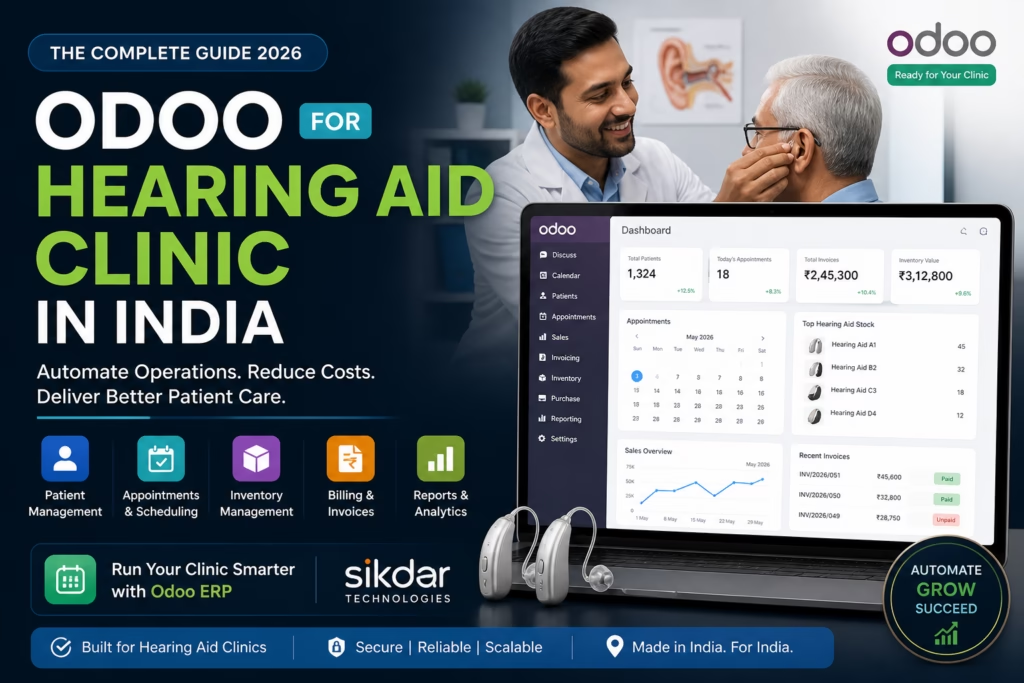
How to Manage a Hearing Aid Clinic Without Spreadsheets — A Complete Odoo Guide | Sikdar Technologies ERP Solutions Healthcare Tech India 2026 · By Sikdar Technologies · May 2026 How to Manage a Hearing Aid Clinic Without Spreadsheets — A Complete Odoo Guide Most hearing aid clinic owners spend more time fixing Excel formulas than helping patients hear better. There’s a smarter way. If you are looking for Odoo for hearing aid clinic in India, this guide will show you exactly how to automate your entire clinic using Odoo ERP. Patient appointments logged in one file. Inventory tracked in another. Billing sitting in a third spreadsheet that only one person knows how to use. Staff scheduling scrawled in a WhatsApp group. Odoo ERP for hearing aid clinics brings these systems together so your team can work from one single source of truth. Sound familiar? You’re not alone. Thousands of audiology clinics, hearing care centres, and ENT practices across India — from Mumbai to Kolkata, Bangalore to Bhopal — are stuck in this exact trap. Manual processes that worked when you had 20 patients a month simply break down when you have 200. The solution isn’t to hire more staff to manage more spreadsheets. The solution is Odoo — the world’s leading open-source ERP platform — implemented the right way, for your specific business. This guide, prepared by the team at Sikdar Technologies, walks you through exactly how Odoo transforms hearing aid clinic operations: what it does, what it costs, and why it’s the most intelligent investment a clinic owner in India can make today. What Is Odoo for Hearing Aid Clinics in India? Odoo is a modular, all-in-one business management platform used by over 12 million users globally across manufacturing, retail, healthcare, and professional services. In India, adoption has surged dramatically as businesses seek cost-effective alternatives to expensive ERPs like SAP or Oracle. Odoo ERP Development Services in India For a hearing aid clinic specifically, Odoo brings together everything you currently manage in disconnected tools — patient records, appointments, inventory, purchases, invoicing, payroll, and reporting — into one unified system your entire team can use. Why Indian Hearing Aid Clinics Are Switching to Odoo India’s hearing healthcare market is growing rapidly. With over 63 million people in India estimated to have significant hearing loss (WHO data), the demand for professional hearing care clinics is accelerating — particularly in Tier 1 and Tier 2 cities. With that growth comes operational complexity that spreadsheets simply cannot handle: Multiple clinic branches across cities High-value inventory (hearing aids costing ₹15,000 to ₹3,00,000 per unit) Insurance and government scheme billing (ADIP, CGHS, ESIS) Audiologist scheduling and certification tracking Patient follow-up cycles (3-month, 6-month, annual) Warranty and repair management The 7 Biggest Problems Spreadsheets Create for Hearing Aid Clinics If you recognise three or more of these, you need an ERP today — not next quarter. Problem 01 Inventory Errors That Cost You Money Hearing aids are expensive, serialised inventory. One missed entry means you think you have stock when you don’t — or you over-order and lock up capital. No automatic reorder alerts, no serial number tracking. Problem 02 Double-Booked Appointments & No-Shows When appointments are managed through phone calls and a diary, double bookings happen constantly. No-show reminders aren’t sent automatically. Staff absence = zero visibility into pending appointments. Problem 03 Billing Mistakes & Delayed Collections Manual invoicing is slow, error-prone, and hard to reconcile. Clinics frequently undercharge, miss follow-up billing for accessories, or lose track of EMI-based payment plans entirely. Problem 04 No Patient History at Your Fingertips When a patient calls about a problem, your staff should pull up their full history in 10 seconds. With spreadsheets, it’s a 10-minute hunt across three files — if the data is even there. Problem 05 Branch Visibility Is Impossible Multiple locations means manually compiling data from multiple files. By the time the consolidated report is ready, it’s already outdated and decisions have already been made on guesswork. Problem 06 Data Security & Access Control Spreadsheets have no meaningful access control. A junior receptionist has the same access to financial data as the clinic owner. One accidental deletion and the data may be gone permanently. Problem 07 No Business Intelligence Growth requires data. Which treatments generate the most revenue? Which hearing aid brands have the highest return rate? Spreadsheets cannot answer these quickly. Odoo answers them in real time with one click. How Odoo Solves Each Problem — Module by Module Odoo is built around modules. You activate what you need and skip what you don’t. For a hearing aid clinic, these are the core modules that deliver immediate impact. Module 1 Odoo Inventory — End Serial Number Chaos Every hearing aid that enters your clinic is logged with its serial number, brand, model, cost price, and supplier. When it is sold, fitted, or sent for repair, Odoo tracks it automatically. No manual entries. No reconciliation at month-end. Many clinics choose Odoo for hearing aid clinic India to gain reliable serialised tracking and automated reorder rules. Serial and lot number tracking per device Automated reorder rules (e.g., reorder Signia Pure C&G when stock drops below 3 units) Multi-location inventory across branches and warehouses Supplier lead time tracking and purchase order automation Warranty period tracking per serial number Real-world result: A mid-size clinic in West Bengal reduced inventory shrinkage by 34% within 6 months of Odoo implementation, simply by moving from manual stock registers to Odoo’s serialised tracking. Module 2 Odoo CRM — Never Lose a Lead or a Patient In hearing care, the sales cycle is long. A prospective patient may enquire online, visit for a hearing test, take a trial period, and only convert weeks later. Without a CRM, these leads fall through the cracks. Lead tracking from website, phone, walk-in, and referral Automated follow-up reminders (trial period expiry, 6-month service due) Customer segmentation (paediatric, geriatric, corporate, insurance) Lost lead analysis — why are patients choosing competitors? Sales performance tracking per audiologist

google.com, pub-8966458381222183, DIRECT, f08c47fec0942fa0
Cloud & DevOps, Odoo ERP & Business Systems, Software Development, System Architecture & APIs

Odoo Healthcare ERP Customization India (2026 Guide)

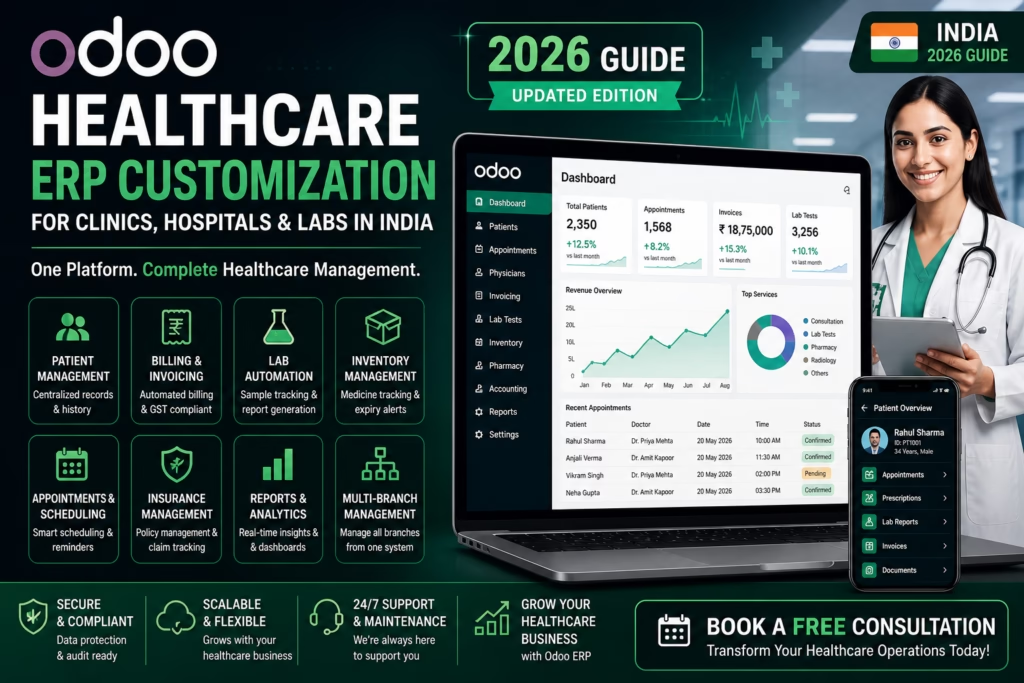
Odoo Healthcare ERP Customization in India | Sikdar Technologies Odoo Healthcare Odoo Customization for Healthcare: What’s Possible and What to Expect Healthcare businesses are drowning in disconnected software. Learn how custom Odoo implementations can unify your operations — from patient management to billing — without the enterprise price tag. 12 min read By Sikdar Technologies Updated May 2025 If you’re running a clinic, diagnostic lab, hospital chain, or healthcare startup, chances are you’re managing patients in one system, billing in another, inventory in a spreadsheet, and staff schedules in a WhatsApp group. This isn’t just inefficient — it’s a liability. Odoo, when customized correctly, can change all of that. What Is Odoo — and Why Does Healthcare Need Customization? Odoo is an open-source ERP (Enterprise Resource Planning) platform that covers everything from CRM to accounting, HR, inventory, and more. Out of the box, it’s powerful for general businesses. But healthcare has unique requirements: patient privacy regulations, appointment workflows, diagnostic report management, insurance claims, and clinical compliance. That’s where customization comes in. With the right development partner — like Sikdar Technologies — Odoo can be transformed into a full-featured healthcare management system tailored to how your organization actually works. Odoo’s modular architecture means you can start with just the modules you need and expand over time — without replacing your entire system. Real-World Use Cases in Healthcare Here’s how organizations across the healthcare spectrum are using customized Odoo today: Patient Management Centralized records, appointment booking, follow-up reminders, and medical history — all in one place. Doctor Scheduling Smart scheduling with availability tracking, auto-assignment, and conflict resolution across multiple departments. Billing & Insurance Automated invoicing, insurance claim tracking, co-pay management, and GST-compliant reporting for Indian healthcare businesses. Lab & Diagnostics Sample tracking, report generation, lab workflow automation, and patient result notifications via SMS/email. Pharmacy Inventory Expiry tracking, reorder alerts, batch management, and integration with billing for seamless dispensing workflows. HR & Payroll Staff onboarding, shift management, attendance tracking, and automated payroll for clinical and admin teams. Key Benefits of Customizing Odoo for Healthcare Single source of truth — all patient, financial, and operational data in one unified system, eliminating data silos and manual reconciliation. Cost-effective scalability — Odoo’s open-source foundation means no per-user licensing traps. Scale from a single clinic to a 50-branch network without budget shocks. Workflow automation — reduce manual tasks like appointment confirmations, invoice generation, and stock reorder by up to 70%, freeing staff for patient care. Custom reporting & analytics — dashboards built around your KPIs — bed occupancy, revenue per department, claim approval rates, or doctor performance metrics. Compliance-ready architecture — configurable for HIPAA-aligned data handling, role-based access control, and audit trails required in regulated healthcare environments. Patient experience improvements — online booking portals, SMS/email reminders, and digital report delivery build trust and reduce no-shows by 30–40%. What Does It Cost? A Realistic Breakdown Costs vary significantly based on the scope of customization, number of users, and integrations required. Here’s a transparent overview: Project Scope Suitable For Estimated Cost (INR) Timeline Basic SetupOdoo Community + 2–3 core modules Single clinic / solo practice ₹80,000 – ₹1,50,000 4–6 weeks Standard CustomizationCustom modules + integrations Polyclinic / diagnostic lab ₹2,50,000 – ₹6,00,000 2–4 months Enterprise-Grade BuildFull ERP + AI + multi-branch Hospital chain / healthtech startup ₹8,00,000 – ₹25,00,000+ 4–10 months Odoo Enterprise LicenseSaaS or on-premise hosting Teams needing official support ~₹3,000 – ₹6,000 / user / year — Note: Sikdar Technologies can help you evaluate whether Odoo Community (free) or Enterprise best fits your needs and budget. Business Scenarios: How It Works in Practice 1 A diagnostic lab with 3 branches in West Bengal Challenge Manual sample tracking, delayed report delivery, billing errors, and no visibility into branch-level performance. Odoo Solution Centralized patient database, barcode-based sample tracking, automated WhatsApp report delivery, and a real-time dashboard comparing branch revenue, test volumes, and turnaround times. Outcome 60% reduction in report delivery time. 40% fewer billing disputes. Management gained full operational visibility in one screen. 2 A multi-specialty clinic looking to go digital Challenge Paper-based records, phone-only booking, no follow-up system, and accounting done manually in Tally. Odoo Solution Online patient portal with appointment booking, electronic health records (EHR) module, automated follow-up reminders, and Tally migration to Odoo Accounting with GST compliance. Outcome 35% increase in patient bookings. Staff admin time cut by half. Fully compliant GST reports generated in minutes. 3 A healthtech startup building a patient engagement platform Challenge Needed a scalable backend for patient onboarding, doctor-patient communication, subscription billing, and AI-driven health insights. Odoo Solution Custom Odoo backend integrated with a React frontend, AI module for risk flagging (built by Sikdar Technologies), recurring subscription billing, and a mobile-ready API layer. Outcome Launched MVP in 14 weeks. Raised pre-seed funding with a working product demo. Onboarded first 500 patients within 60 days. Why Sikdar Technologies? There’s no shortage of Odoo developers. The difference is whether your partner understands your business, not just the code. 8+ Years building enterprise software for regulated industries 50+ Successful Odoo implementations across healthcare, retail, and logistics AI Native AI & automation capabilities built into every deployment At Sikdar Technologies, we don’t just configure Odoo — we architect systems. Our team combines Odoo expertise with AI, automation, and deep domain knowledge to build healthcare software that scales with your organization. We work with clinics, hospitals, diagnostic labs, and digital health startups across India and beyond. We also offer post-deployment support, staff training, and ongoing feature development — because a healthcare system isn’t a one-time project, it’s a long-term partnership. What to Expect: The Implementation Process A typical Sikdar Technologies engagement follows a structured process designed to minimize risk and maximize adoption: 1 Discovery (1–2 weeks) — Understanding your workflows, pain points, compliance requirements, and integration needs through structured workshops. 2 Architecture & Proposal — A clear technical blueprint with module selection, custom development scope, cost estimate, and timeline. 3 Development & Testing — Agile sprints with regular demos. You see working software every 2

google.com, pub-8966458381222183, DIRECT, f08c47fec0942fa0
Cloud & DevOps, Odoo ERP & Business Systems, Software Development, Uncategorized

Best ERP Software for Hearing Aid Business India (2025 Guide)

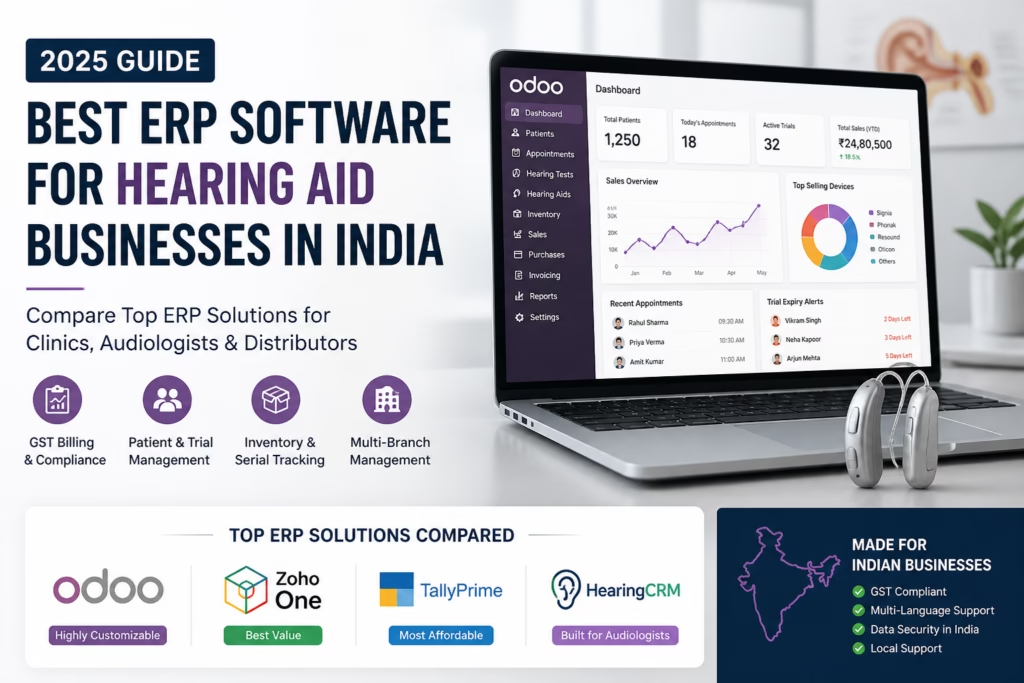
Best ERP Software for Hearing Aid Clinics in India (2025) – Top 5 Compared Best ERP Software for Hearing Aid Businesses in India (2025) 🇮🇳 India Edition · 2025 Guide Best ERP Software forHearing Aid Businesses Cut inventory errors, automate patient follow-ups, and scale your clinic with the right ERP — built for India. View Top Picks → Compare Features Why ERP? Benefits Comparison Top Picks FAQ The Problem Managing a Hearing Aid Clinic Is Complex Without the right tools, clinics across India lose revenue daily to manual errors, stock mismatches, and missed patient follow-ups. 📦 Inventory Blind Spots No real-time stock visibility means orders get delayed or duplicated, costing thousands every month. 💸 Revenue Leakage Untracked discounts and manual billing result in consistent revenue loss across branches. 📅 Missed Follow-ups Patients forget trial period ends and device servicing — and without automation, so does your clinic. 📊 No Business Insights Spreadsheets can’t show which device sells most, who your top audiologist is, or your real margins. 43%revenue lost via manual billing errors 2.3×faster patient processing with ERP ₹8L+avg. annual savings post-implementation 68%clinics plan ERP adoption by 2026 The Solution Life Before vs. After ERP See how ERP transforms day-to-day clinic operations from the ground up. ❌ Without ERP ✖ Stock counted manually each week ✖ Patient files stored in physical folders ✖ Follow-up reminders missed regularly ✖ GST billing done separately in Tally ✖ No visibility into staff performance ✖ Multi-branch coordination via WhatsApp ✅ With ERP ✔ Real-time inventory with auto reorder alerts ✔ Digital patient records with full audit trail ✔ Automated SMS/email follow-up campaigns ✔ GST-compliant invoicing built right in ✔ Live dashboards and KPI tracking ✔ Unified view across all branches Side-by-Side ERP Feature Comparison We evaluated the top platforms on features critical to hearing aid clinics in India. Feature Odoo ERP Zoho One Tally Prime HearingCRM Inventory Management ✔ ✔ ✖ ✔ Appointment Scheduling ✔ ◑ ✖ ✔ GST Billing (India) ✔ ✔ ✔ ✔ Patient CRM ◑ ✔ ✖ ✔ Multi-Branch Support ✔ ✔ ◑ ✔ Automated Follow-ups ✔ ✔ ✖ ✔ Trial Period Tracking ◑ ✖ ✖ ✔ Mobile App ✔ ✔ ◑ ◑ Open Source / Self-host ✔ ✖ ✖ ✖ Starting Price (India) ₹8,000/mo ₹5,500/mo ₹1,800/mo ₹12,000/mo ✔ Full support  ◑ Partial  ✖ Not available  · Pricing indicative for small clinics. Editor’s Picks Top ERP Platforms for 2025 Recommendations based on feature depth, India compliance, pricing, and real-world usability. 🏆 Best Overall Odoo ERP Best for scalability & full customisation Odoo is a fully modular, open-source ERP that can be tailored precisely for hearing aid workflows — audiogram records, device warranty tracking, and India-localized GST. Its self-hosting option makes it ideal for growing multi-branch clinics that want complete data control. Open SourceMulti-Branch GST ReadySelf-HostableAPI Access ₹8K/ month onwards Zoho One Best for small & growing clinics Zoho One bundles CRM, invoicing, email campaigns, and analytics in one subscription. Easy to set up without IT help, integrates well with WhatsApp, and is loved by independent hearing aid dealers looking for an affordable all-in-one suite. Easy SetupWhatsApp CRM 40+ AppsCloud-First ₹5.5K/ month onwards Tally Prime Best for accounting-only needs Tally remains India’s most trusted accounting software — unbeatable for GST compliance, payroll, and financial reporting. It lacks CRM depth for hearing aid businesses, but if your patient management is handled elsewhere, Tally is solid and CA-friendly. GST ExpertPayroll Offline FirstCA Friendly ₹1.8K/ month onwards HearingCRM Best industry-specific solution Built exclusively for audiology and hearing aid businesses — audiogram storage, trial period management, device serial number tracking, and warranty reminders out-of-the-box. Niche, but the most feature-complete option for specialized clinic chains. Audiogram RecordsTrial Tracking Warranty AlertsNiche Built ₹12K/ month onwards Common Questions Frequently Asked Questions Everything clinic owners ask before making the switch to ERP. Which ERP is best for a single-branch clinic in India? + Zoho One is ideal for single-branch clinics — it offers the best balance of affordability and features, including CRM, billing, and basic inventory, all accessible from a mobile app without any technical setup. How much does ERP implementation cost in India? + Cloud solutions like Zoho start from ₹5,500/month with minimal setup fees. Custom Odoo implementations typically involve ₹50,000–₹2,00,000 in one-time setup costs plus ₹8,000–₹20,000/month in licensing. Is Tally enough for managing a hearing aid business? + Tally is excellent for GST compliance and accounting but lacks patient CRM, appointment scheduling, and hearing aid-specific inventory management. A unified ERP is more efficient long-term. Can ERP help with trial period management for hearing aids? + Yes — platforms like HearingCRM and customized Odoo setups can track individual device trial periods, send automated patient reminders, and notify staff when trials are expiring. This directly reduces device return losses. How long does ERP implementation take? + Cloud ERPs like Zoho can go live in 1–2 weeks. A full Odoo implementation with custom modules typically takes 4–10 weeks depending on clinic size and data migration complexity. Is my patient data safe in a cloud ERP? + Reputable ERPs use enterprise-grade AES-256 encryption and comply with India’s IT Act standards. Odoo’s self-hosting option lets you run the entire system on your own servers if data sovereignty is critical. Ready to Modernise Your Clinic? Book a free consultation and we’ll help you choose the right ERP — no pushy sales, just honest advice tailored to your business. Book a Free Demo →

google.com, pub-8966458381222183, DIRECT, f08c47fec0942fa0
Business & Digital Strategy, Industry Solutions, Odoo ERP & Business Systems

odoo-customization-without-breaking-updates-guide

Customizing Odoo Without Breaking Updates: The Technical Guide to Smart Modifications How to Extend Odoo Safely While Maintaining Upgrade Compatibility You’ve invested in Odoo ERP to streamline your business operations. Your team loves it, but there’s one problem: Odoo doesn’t quite work the way your business does. You need customizations. But here’s the catch—make the wrong modifications, and your next Odoo update could break everything. Sound familiar? You’re not alone. Every growing business using Odoo eventually hits this crossroads. The question isn’t whether to customize—it’s how to customize without creating a maintenance nightmare. In this comprehensive guide, we’ll walk you through the proven strategies that keep your Odoo system flexible, upgradeable, and aligned with your business needs—whether you’re a business owner evaluating options or a technical team implementing solutions. The Hidden Cost of Wrong Customizations Before we dive into solutions, let’s understand what goes wrong when customizations aren’t done properly. The Update Trap Imagine this scenario: Your development team modifies Odoo’s core files directly to add a custom feature. Six months later, Odoo releases a security patch. You install it, and suddenly your entire inventory module stops working. Your warehouse grinds to a halt. Your developers spend days debugging. Sound extreme? It happens more often than you think. Common problems with poor customization approaches: Lost functionality after updates—features you rely on simply disappear or break Technical debt accumulation—each workaround makes the next modification harder Expensive debugging sessions—developers spending hours fixing broken customizations Vendor lock-in—becoming dependent on the original developer who made the changes Security vulnerabilities—missing critical patches because updates break your system The real cost isn’t just the immediate fix. It’s the compound effect: missed opportunities, delayed features, and growing technical debt that makes every future change more difficult and expensive. The Odoo Customization Hierarchy: From Safest to Riskiest Not all customizations are created equal. Understanding this hierarchy will save you countless hours and thousands of dollars in maintenance costs. Level 1: Configuration (Safest – Start Here) Before writing a single line of code, exhaust Odoo’s built-in configuration options. You’d be surprised how much you can accomplish without custom development. What’s possible with configuration: Custom fields through Studio—add fields to any form without coding Automated actions—trigger emails, create records, or update fields based on conditions Custom reports—design professional documents using the built-in report builder Access rights and record rules—control who sees and edits what Workflow modifications—adjust approval processes and status flows Business impact: These configurations survive every update. They’re managed through Odoo’s interface, documented automatically, and can be modified by trained staff without developer intervention. Level 2: Custom Modules (Recommended Approach) When configuration isn’t enough, custom modules are your best friend. This is where Sikdar Technologies spends most of our development time—and for good reason. Why custom modules work: Complete isolation—your code lives separately from Odoo’s core Inheritance-based extension—you extend existing functionality rather than replacing it Version control friendly—track every change, roll back problems, collaborate effectively Update compatibility—Odoo updates don’t touch your module files Portable and reusable—deploy the same module across multiple Odoo instances Real-world example: A manufacturing client needed custom quality control checkpoints that Odoo doesn’t offer natively. Instead of modifying the manufacturing module, we created a separate ‘QC Extension’ module that adds the functionality through inheritance. When they upgraded from Odoo 16 to 17, the module required only minor adjustments—about 4 hours of work instead of a complete rebuild. Level 3: View Inheritance (Use with Care) View inheritance lets you modify Odoo’s user interface by extending existing views rather than replacing them. It’s powerful but requires precision. Best practices: Always use XPath expressions to target specific elements Add elements rather than replacing them when possible Give your inherited views clear, descriptive names Test thoroughly—UI changes can have unexpected consequences Document what you changed and why Level 4: Model Inheritance (Advanced) This is where we get technical. Model inheritance lets you extend Odoo’s data models—adding fields, modifying methods, or overriding behavior. Two types to understand: Class inheritance (_inherit):Extends an existing model in place. Use this to add fields or modify methods on existing objects like sale.order or res.partner. Prototype inheritance (_inherits):Creates a new model that delegates to an existing one. Rarely needed, but useful for complex scenarios. When done right, model inheritance is invisible to Odoo’s core. When done wrong, it can create database inconsistencies and cascade failures. Level 5: Core Modifications (Danger Zone) Directly modifying Odoo’s core files should be your absolute last resort. In most cases, there’s a better way. Why we avoid core modifications: Updates overwrite your changes—every single time No version control—changes are invisible in your Git history Debugging nightmare—when something breaks, you won’t remember what you changed Support issues—Odoo’s official support won’t help with modified core files If you genuinely need a core modification, document it extensively, maintain a patch file, and have a plan for reapplying it after every update. Better yet, contact Sikdar Technologies—we can usually find an alternative approach. Proven Development Patterns That Work Theory is great, but let’s get practical. Here are the development patterns we use at Sikdar Technologies for every Odoo project. The Module-First Architecture Every customization lives in its own module. No exceptions. This might seem like overkill for a small change, but it pays dividends immediately. Our standard module structure: py – Module metadata and dependencies models/ – Python files for business logic views/ – XML files for interface modifications security/ – Access rights definitions data/ – Default data and configuration md – Documentation for future developers (including yourself) Inheritance Over Modification When you need to change how something works, extend it rather than replace it. This is Odoo’s superpower. Example scenario: Your sales team needs an approval workflow before confirming large orders. Wrong approach: Copy Odoo’s sale.order model and rewrite the confirmation method. Right approach: Create a custom module that inherits sale.order and adds your approval logic before calling the original method. The difference? With inheritance, if Odoo improves the confirmation process in an update, you automatically get those improvements. With replacement, you’re stuck maintaining your copy forever. Version-Aware

google.com, pub-8966458381222183, DIRECT, f08c47fec0942fa0
Industry Solutions, Odoo ERP & Business Systems, Software Development

Odoo CRM Implementation Guide | Lead Management with Odoo ERP

Transform Your Lead Management: How Odoo ERP Streamlines Customer Acquisition In today’s competitive business landscape, the difference between thriving companies and struggling ones often comes down to one critical factor: how effectively they manage their leads. Every potential customer who shows interest in your product or service represents a valuable opportunity—but only if you have the right systems in place to capture, track, and convert that interest into revenue. For business owners, startup founders, and decision-makers navigating the complexities of customer acquisition, the challenge is clear: traditional methods like spreadsheets, disconnected tools, and manual tracking simply don’t scale. As your business grows, so does the complexity of managing leads across multiple channels—website inquiries, email campaigns, social media, trade shows, and referrals. This is where Odoo ERP emerges as a game-changing solution. As an integrated enterprise resource planning platform, Odoo doesn’t just help you track leads—it transforms your entire customer acquisition process into a streamlined, data-driven system that drives predictable growth. The Hidden Cost of Poor Lead Management Before exploring solutions, let’s understand the problem. Most businesses lose revenue not because they lack leads, but because they mismanage them. Consider these common scenarios: Lost opportunities: A potential customer submits an inquiry through your website, but the notification gets buried in email. By the time someone follows up three days later, the lead has already chosen a competitor. Duplicate efforts: Multiple sales team members contact the same lead because information isn’t centralized, creating a unprofessional impression and wasting valuable time. Inconsistent follow-up: Without automated reminders and structured workflows, hot leads go cold while your team focuses on urgent but less valuable tasks. Missing insights: When lead data is scattered across email, spreadsheets, and sticky notes, you can’t identify which marketing channels deliver the best ROI or which sales strategies actually work. According to research, companies lose up to 80% of their leads due to lack of proper follow-up and organization. That’s not just missed revenue—it’s wasted marketing budget, damaged brand reputation, and competitive disadvantage. What Is Odoo ERP and Why It Matters for Lead Management Odoo is an open-source, fully integrated business management software that includes powerful CRM (Customer Relationship Management) capabilities specifically designed to optimize lead handling. Unlike standalone tools that require complex integrations, Odoo provides a unified platform where every aspect of your business—from marketing and sales to accounting and inventory—works together seamlessly. Core Features for Lead Management Centralized lead capture: Automatically capture leads from your website, email campaigns, social media, and third-party platforms into a single database. Intelligent lead scoring: Automatically prioritize leads based on behavior, demographics, and engagement levels, ensuring your team focuses on high-value opportunities first. Automated workflows: Set up rules that automatically assign leads to sales representatives, trigger follow-up emails, schedule tasks, and move leads through your pipeline. 360-degree customer view: Access complete lead history—every email, call, meeting, and interaction—in one place, enabling personalized and contextual communication. Built-in communication tools: Email integration, VoIP calling, and SMS capabilities mean you never have to leave the platform to engage with leads. Real-time analytics: Dashboards and reports provide instant visibility into pipeline health, conversion rates, team performance, and revenue forecasts. The key advantage? Everything is connected. When a lead converts to a customer, their information flows automatically into invoicing, project management, and support systems—eliminating data re-entry and ensuring consistency across your entire organization. From Lead Capture to Customer Conversion: The Odoo Advantage Let’s walk through the complete lead lifecycle and see how Odoo transforms each stage: Stage 1: Lead Generation and Capture The Challenge: Leads arrive from multiple sources—website forms, email campaigns, LinkedIn messages, trade show contacts, referrals—and capturing them manually is time-consuming and error-prone. The Odoo Solution: Odoo’s Website Builder includes built-in contact forms that automatically create lead records in your CRM. Email integration captures leads from email campaigns and forwards. Social media connectors pull inquiries from platforms like LinkedIn and Facebook. You can even import leads in bulk from events or purchased lists. Real-World Impact: A mid-sized software company implemented Odoo’s lead capture system and reduced manual data entry by 15 hours per week, allowing their sales team to focus on actual selling rather than administrative tasks. Stage 2: Lead Qualification and Scoring The Challenge: Not all leads are created equal. Some are ready to buy, others are just browsing, and many aren’t a good fit at all. Wasting time on low-quality leads kills productivity. The Odoo Solution: Odoo’s lead scoring engine automatically evaluates leads based on criteria you define—company size, industry, engagement level, budget indicators, and specific actions like downloading a whitepaper or requesting a demo. High-scoring leads are flagged and prioritized, while low-scoring leads can be nurtured through automated drip campaigns. Real-World Impact: A manufacturing equipment distributor using Odoo increased their conversion rate by 34% simply by implementing lead scoring rules that helped their sales team prioritize enterprise-level prospects over small hobbyist inquiries. Stage 3: Lead Assignment and Distribution The Challenge: Leads need to reach the right person quickly. Manual assignment creates delays, uneven workloads, and territorial disputes among sales staff. The Odoo Solution: Create automated assignment rules based on any criteria—geographic territory, product line, lead source, company size, or round-robin distribution for balanced workloads. The system assigns leads instantly and notifies the assigned salesperson via email or mobile notification. Real-World Impact: A professional services firm reduced lead response time from 6 hours to 15 minutes by implementing automated assignment rules in Odoo, dramatically improving their competitive win rate. Stage 4: Lead Nurturing and Follow-Up The Challenge: Most leads aren’t ready to buy immediately. They need education, relationship-building, and perfect timing—but manual follow-up is inconsistent and easy to forget. The Odoo Solution: Automated workflows handle nurturing systematically. Send personalized email sequences, schedule follow-up tasks, set reminders for call-backs, and trigger actions based on lead behavior. For example, if a lead opens five emails but doesn’t respond, automatically escalate to a phone call. If they visit your pricing page three times, alert the sales rep to reach out immediately. Real-World Impact: A B2B consulting firm implemented

google.com, pub-8966458381222183, DIRECT, f08c47fec0942fa0
Odoo ERP & Business Systems

Why Odoo ERP Is Replacing Legacy Systems for SMBs in 2026

Why Odoo ERP for SMBs Is Replacing Legacy Systems The Growing Tech Gap for SMBs As 2026 approaches, small and medium-sized businesses (SMBs) are under increasing pressure to operate faster, leaner, and smarter. Yet many still rely on legacy systems—disconnected software, spreadsheets, or outdated ERPs that were never designed for today’s pace of business. The result? Fragmented data Manual workarounds Limited visibility Rising operational costs This is why a growing number of SMBs are moving away from legacy systems and adopting Odoo ERP—a flexible, modular, and future-ready platform designed for real-world business growth. At Sikdar Technologies, we work closely with SMB leaders, startup founders, and operations teams who are actively planning this transition. What Modern Businesses Need Before choosing any ERP, SMBs should evaluate their technology against these essential criteria. 1. Integrated Systems (Not Isolated Tools) Modern businesses can’t afford siloed software. Sales, accounting, inventory, HR, CRM, and operations must work together in real time. Legacy issue:Multiple tools, duplicate data, manual syncing. Odoo advantage:A single, unified ERP where all modules share the same database. Scalability Without Rebuilding Everything Many legacy systems work—until the business grows. Common challenges: Expensive upgrades Vendor lock-in Forced migrations Odoo’s approach:Start small. Add modules only when needed—without replatforming. Cost Control and Predictable ROI SMBs are increasingly cautious about software costs in 2026. Legacy ERP problems: High license fees Costly customizations Ongoing dependency on vendors Odoo benefit:Lower total cost of ownership with open-source flexibility and modular pricing. Why Odoo ERP Fits the 2026 SMB Reality Modular by Design Odoo allows businesses to implement only what they need: CRM Sales & Invoicing Inventory Manufacturing HR & Payroll Accounting This makes it ideal for SMBs who want control over growth—not complexity. Built for Automation Manual processes slow teams down. Odoo automates: Invoicing and follow-ups Inventory updates Approval workflows Reporting and dashboards This leads to faster decisions and fewer operational errors. Customizable Without Being Fragile Unlike rigid legacy systems, Odoo can be customized safely when implemented correctly—aligning the ERP with your business process instead of forcing change on your team. How SMBs Use Odoo in Practice 1. Growing Trading & Distribution Companies Real-time stock visibility Automated purchase planning Integrated accounting 2. Service-Based Businesses Lead-to-invoice workflows Project tracking Centralized client data 3. Manufacturing SMBs Production planning Bill of materials (BoM) Quality and cost control In each case, Odoo replaces multiple disconnected tools with a single source of truth. Key Benefits of Replacing Legacy Systems with Odoo Lower operational costs over time Improved decision-making with real-time data Better user adoption due to modern UI Flexibility to adapt as business models change Future-ready architecture for AI, automation, and analytics For SMBs planning beyond 2026, these benefits are strategic—not just technical. Why SMBs Choose Sikdar Technologies for Odoo ERP At Sikdar Technologies, we don’t treat ERP as just software installation. Our approach is: Business-first, not feature-first Focused on process clarity and ROI Tailored for SMB constraints—budget, time, and team readiness We help businesses: Assess whether Odoo is the right fit Design clean, scalable ERP architecture Customize responsibly Ensure smooth user adoption Our role is to act as a long-term technology partner, not just an implementation vendor. 2026 Is a Turning Point for SMB Technology Legacy systems once supported business growth—but in 2026, they often hold it back. Odoo ERP is replacing legacy platforms because it aligns with how modern SMBs operate: Integrated Scalable Cost-conscious Adaptable The shift isn’t about trends. It’s about building a system that supports your business for the next decade. Start with the Right Conversation If you’re evaluating ERP options or feeling constrained by your current systems, a clear, unbiased discussion can save time and cost later. Talk to Sikdar Technologies to explore whether Odoo ERP fits your business goals—today and in the future. Schedule Consultation Frequently Asked Questions Is Odoo suitable for small businesses or only mid-sized companies? Odoo is ideal for both. SMBs can start with a few modules and scale gradually as the business grows. Can Odoo replace multiple software tools? Yes. CRM, accounting, inventory, HR, and more can be managed within a single Odoo system. Is Odoo expensive compared to legacy ERPs? In most cases, Odoo offers a significantly lower total cost of ownership, especially when compared to traditional licensed ERPs. How long does Odoo implementation take for SMBs? Timelines vary, but many SMB implementations can go live in phases within weeks—not years. Do non-technical teams find Odoo easy to use? Yes. Odoo’s modern interface and workflows are designed for business users, not just IT teams.

Powering Ideas, Shaping Futures

contact@sikdartechnologies.com

project@sikdartechnologies.com

© 2025 Sikdar Technologies Pvt Ltd