Claim Your FREE Website Audit—Limited Time Offer | Contact Us NOW!

Industry Solutions

Industry Solutions, Odoo ERP & Business Systems, Software Development, Startup & Growth, System Architecture & APIs

Odoo for Hearing Aid Clinic India (2026) | Automate & Reduce Costs

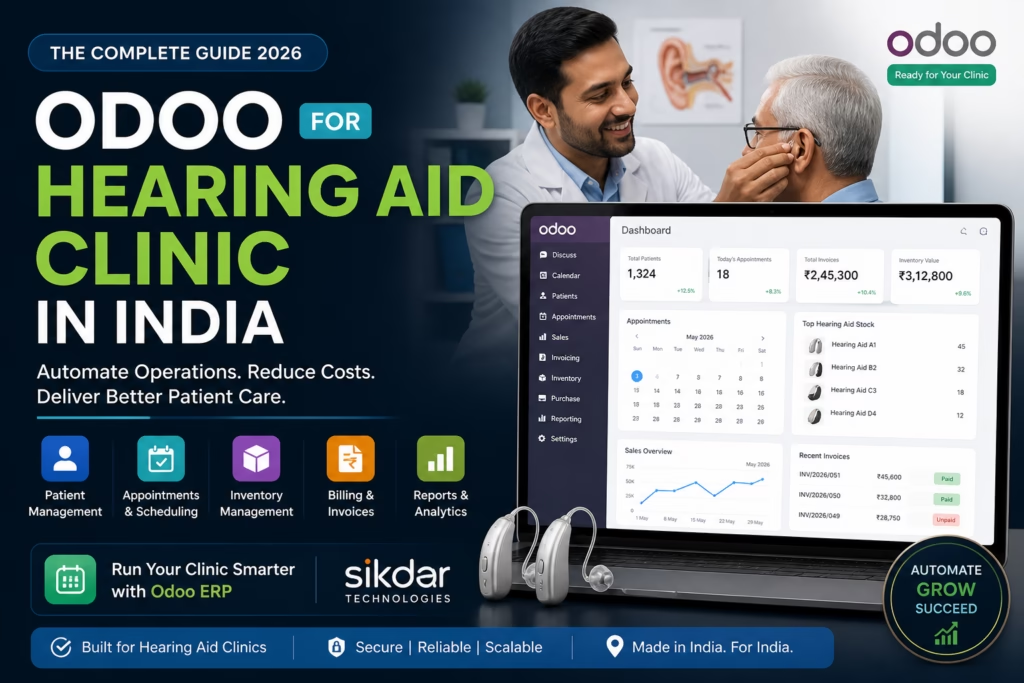
How to Manage a Hearing Aid Clinic Without Spreadsheets — A Complete Odoo Guide | Sikdar Technologies ERP Solutions Healthcare Tech India 2026 · By Sikdar Technologies · May 2026 How to Manage a Hearing Aid Clinic Without Spreadsheets — A Complete Odoo Guide Most hearing aid clinic owners spend more time fixing Excel formulas than helping patients hear better. There’s a smarter way. If you are looking for Odoo for hearing aid clinic in India, this guide will show you exactly how to automate your entire clinic using Odoo ERP. Patient appointments logged in one file. Inventory tracked in another. Billing sitting in a third spreadsheet that only one person knows how to use. Staff scheduling scrawled in a WhatsApp group. Odoo ERP for hearing aid clinics brings these systems together so your team can work from one single source of truth. Sound familiar? You’re not alone. Thousands of audiology clinics, hearing care centres, and ENT practices across India — from Mumbai to Kolkata, Bangalore to Bhopal — are stuck in this exact trap. Manual processes that worked when you had 20 patients a month simply break down when you have 200. The solution isn’t to hire more staff to manage more spreadsheets. The solution is Odoo — the world’s leading open-source ERP platform — implemented the right way, for your specific business. This guide, prepared by the team at Sikdar Technologies, walks you through exactly how Odoo transforms hearing aid clinic operations: what it does, what it costs, and why it’s the most intelligent investment a clinic owner in India can make today. What Is Odoo for Hearing Aid Clinics in India? Odoo is a modular, all-in-one business management platform used by over 12 million users globally across manufacturing, retail, healthcare, and professional services. In India, adoption has surged dramatically as businesses seek cost-effective alternatives to expensive ERPs like SAP or Oracle. Odoo ERP Development Services in India For a hearing aid clinic specifically, Odoo brings together everything you currently manage in disconnected tools — patient records, appointments, inventory, purchases, invoicing, payroll, and reporting — into one unified system your entire team can use. Why Indian Hearing Aid Clinics Are Switching to Odoo India’s hearing healthcare market is growing rapidly. With over 63 million people in India estimated to have significant hearing loss (WHO data), the demand for professional hearing care clinics is accelerating — particularly in Tier 1 and Tier 2 cities. With that growth comes operational complexity that spreadsheets simply cannot handle: Multiple clinic branches across cities High-value inventory (hearing aids costing ₹15,000 to ₹3,00,000 per unit) Insurance and government scheme billing (ADIP, CGHS, ESIS) Audiologist scheduling and certification tracking Patient follow-up cycles (3-month, 6-month, annual) Warranty and repair management The 7 Biggest Problems Spreadsheets Create for Hearing Aid Clinics If you recognise three or more of these, you need an ERP today — not next quarter. Problem 01 Inventory Errors That Cost You Money Hearing aids are expensive, serialised inventory. One missed entry means you think you have stock when you don’t — or you over-order and lock up capital. No automatic reorder alerts, no serial number tracking. Problem 02 Double-Booked Appointments & No-Shows When appointments are managed through phone calls and a diary, double bookings happen constantly. No-show reminders aren’t sent automatically. Staff absence = zero visibility into pending appointments. Problem 03 Billing Mistakes & Delayed Collections Manual invoicing is slow, error-prone, and hard to reconcile. Clinics frequently undercharge, miss follow-up billing for accessories, or lose track of EMI-based payment plans entirely. Problem 04 No Patient History at Your Fingertips When a patient calls about a problem, your staff should pull up their full history in 10 seconds. With spreadsheets, it’s a 10-minute hunt across three files — if the data is even there. Problem 05 Branch Visibility Is Impossible Multiple locations means manually compiling data from multiple files. By the time the consolidated report is ready, it’s already outdated and decisions have already been made on guesswork. Problem 06 Data Security & Access Control Spreadsheets have no meaningful access control. A junior receptionist has the same access to financial data as the clinic owner. One accidental deletion and the data may be gone permanently. Problem 07 No Business Intelligence Growth requires data. Which treatments generate the most revenue? Which hearing aid brands have the highest return rate? Spreadsheets cannot answer these quickly. Odoo answers them in real time with one click. How Odoo Solves Each Problem — Module by Module Odoo is built around modules. You activate what you need and skip what you don’t. For a hearing aid clinic, these are the core modules that deliver immediate impact. Module 1 Odoo Inventory — End Serial Number Chaos Every hearing aid that enters your clinic is logged with its serial number, brand, model, cost price, and supplier. When it is sold, fitted, or sent for repair, Odoo tracks it automatically. No manual entries. No reconciliation at month-end. Many clinics choose Odoo for hearing aid clinic India to gain reliable serialised tracking and automated reorder rules. Serial and lot number tracking per device Automated reorder rules (e.g., reorder Signia Pure C&G when stock drops below 3 units) Multi-location inventory across branches and warehouses Supplier lead time tracking and purchase order automation Warranty period tracking per serial number Real-world result: A mid-size clinic in West Bengal reduced inventory shrinkage by 34% within 6 months of Odoo implementation, simply by moving from manual stock registers to Odoo’s serialised tracking. Module 2 Odoo CRM — Never Lose a Lead or a Patient In hearing care, the sales cycle is long. A prospective patient may enquire online, visit for a hearing test, take a trial period, and only convert weeks later. Without a CRM, these leads fall through the cracks. Lead tracking from website, phone, walk-in, and referral Automated follow-up reminders (trial period expiry, 6-month service due) Customer segmentation (paediatric, geriatric, corporate, insurance) Lost lead analysis — why are patients choosing competitors? Sales performance tracking per audiologist

google.com, pub-8966458381222183, DIRECT, f08c47fec0942fa0
Industry Solutions, System Architecture & APIs, Web & Mobile Development

How Much Does It Cost to Build an App Like Uber? (2026 Guide) | Sikdar Technologies

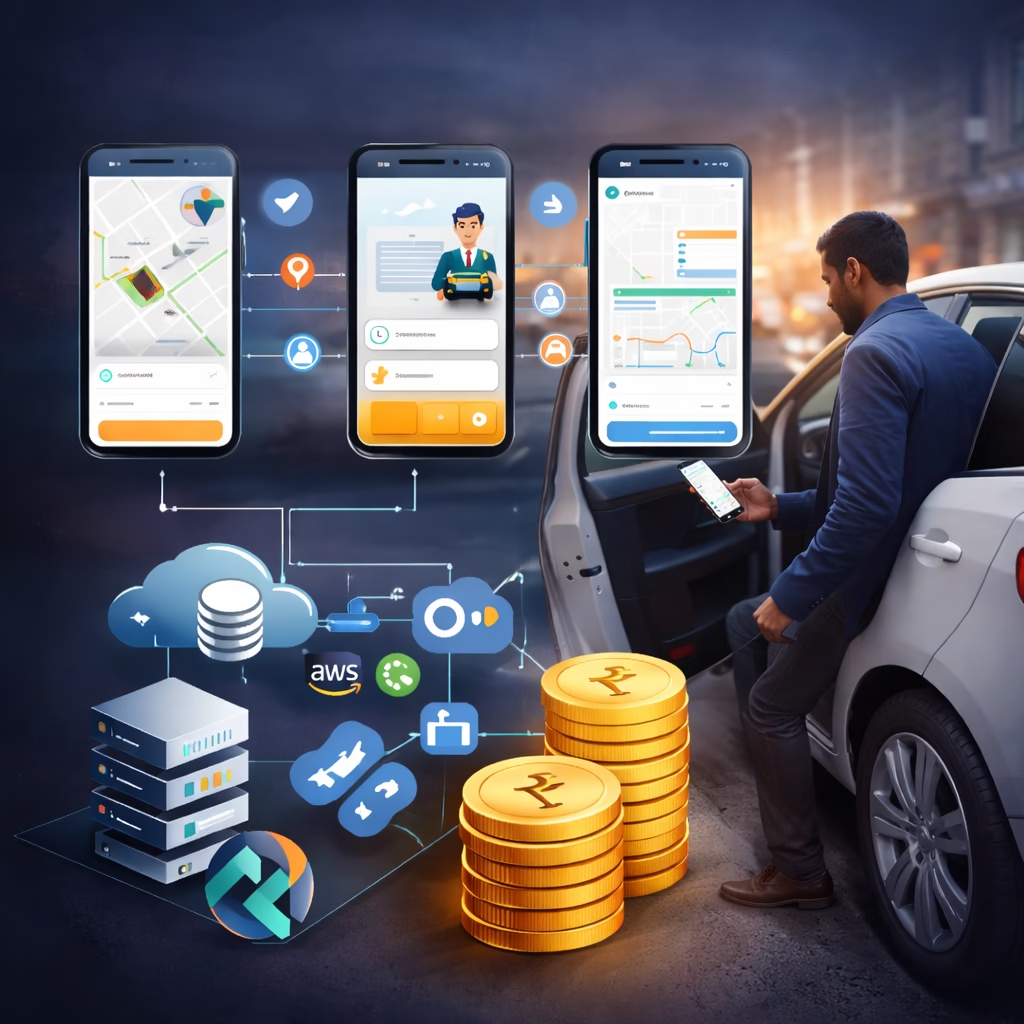
Why Everyone Wants an Uber-Like App Ride-hailing apps like Uber have transformed urban transportation—and inspired startups, fleet owners, and enterprises to build similar platforms for taxis, bikes, logistics, ambulances, and delivery. But the biggest question decision-makers ask is simple:“How much does it cost to build an app like Uber?” The short answer: It depends.The real answer: This guide breaks down the actual cost, features, tech stack, timelines, and hidden expenses—so you can plan smartly and avoid budget shocks. What Is an Uber-Like App? (Core Components) An Uber-style platform is not one app—it’s an ecosystem of apps and systems: 1. User App (Passengers) Signup & login Ride booking Real-time GPS tracking Fare estimation In-app payments Ratings & reviews 2. Driver App Driver onboarding & KYC Ride requests (accept/reject) Navigation & live tracking Earnings dashboard Availability status 3. Admin Panel (Web Dashboard) User & driver management Pricing & commission control Ride monitoring Payments & settlements Analytics & reports Each component directly impacts development cost. Cost to Build an App Like Uber (India – 2026) Basic Uber-Like App (₹1 – ₹2 Lakhs) Best for MVPs and early-stage startups. Includes: User & driver apps (basic) Real-time ride booking GPS tracking Simple admin panel Cash + basic payment gateway ⏱️ Timeline: 3–4 monthsLimitations: Limited scalability, minimal automation Mid-Level Uber-Like App (₹3 – ₹4 Lakhs) Ideal for growing startups & city-level operations. Includes: Advanced ride matching Dynamic pricing (basic surge) Multiple payment methods Driver incentives Push notifications Robust admin dashboard ⏱️ Timeline: 5–6 monthsBest balance of cost & features Enterprise Uber-Like App (₹6 – ₹7+ Lakhs) Built for large-scale, multi-city, or global platforms. Includes: AI-based dispatching Advanced surge pricing Real-time analytics Fraud detection Cloud auto-scaling High-level security & compliance ⏱️ Timeline: 7–12 monthsComparable to Uber, Ola, Lyft-scale systems Key Factors That Affect Uber-Like App Development Cost 1. Feature Complexity More features = more development time = higher costExamples: Ride scheduling Wallet system Multi-language support Multi-city operations 2. Platform Choice Android only → Lower cost iOS only → Slightly higher Android + iOS → Best ROI using Flutter / React Native 3. Real-Time Technology Uber-like apps rely heavily on: GPS & maps WebSockets Real-time databases These significantly impact backend cost. 4. Third-Party Integrations Google Maps / Mapbox Payment gateways (Stripe, Razorpay) SMS & OTP services Cloud messaging (Firebase) Most have usage-based recurring costs. 5. Cloud Infrastructure Cloud costs depend on: Number of active users Ride volume Data storage Real-time tracking load Typical cloud cost starts from ₹30,000–₹1,00,000/month as you scale. Technology Stack Used for Uber-Like Apps Frontend (Mobile): Flutter / React Native Swift (iOS) Kotlin (Android) Backend: Node.js / Python REST & WebSocket APIs Database: MongoDB / PostgreSQL Redis (real-time caching) Cloud: AWS / Google Cloud / Azure Real-World Use Cases Taxi & cab booking apps Bike & auto booking platforms Logistics & delivery apps Ambulance & emergency services Corporate transport systems Uber-like architecture works far beyond taxis. Maintenance & Operational Cost Annual maintenance costs 20–30% of initial development cost, covering: Bug fixes Performance optimization Server scaling Security updates New features Ignoring maintenance is one of the costliest mistakes startups make. Common Mistakes That Increase Cost  Building all features at once No MVP strategy Ignoring scalabilityChoosing cheapest developersNo long-term cloud planning Smart founders start lean and scale fast. Why Choose Sikdar Technologies We specialize in scalable, real-time, on-demand platforms. What We Offer ✔️ Uber-like app development✔️ Flutter & Node.js experts✔️ Real-time GPS & tracking systems✔️ Secure & scalable cloud architecture✔️ Transparent pricing & full source code We build apps that are ready for real users, real traffic, and real revenue. Conclusion: What Should You Budget? For an Uber-like app in India (2026): MVP: ₹2 Lakhs City-Level Platform: ₹6 Lakhs Enterprise / Multi-City: ₹8 Lakhs+ The smartest approach:Build an MVP → validate demand → scale features gradually. Get a Free Uber-Like App Cost Estimate Contact Sikdar Technologies for a free consultation, feature roadmap, and exact cost estimate—no commitments. Schedule Consultation Frequently Asked Questions Can I build an Uber-like app under ₹2 Lakhs? Only a very basic MVP with limited features. How long does it take to build an Uber-like app? 3–12 months depending on complexity. Is Flutter suitable for Uber-like apps? Yes. Flutter reduces cost while maintaining performance. Who owns the source code? You do. Full ownership after project delivery.

google.com, pub-8966458381222183, DIRECT, f08c47fec0942fa0
Business & Digital Strategy, Industry Solutions, Odoo ERP & Business Systems

odoo-customization-without-breaking-updates-guide

Customizing Odoo Without Breaking Updates: The Technical Guide to Smart Modifications How to Extend Odoo Safely While Maintaining Upgrade Compatibility You’ve invested in Odoo ERP to streamline your business operations. Your team loves it, but there’s one problem: Odoo doesn’t quite work the way your business does. You need customizations. But here’s the catch—make the wrong modifications, and your next Odoo update could break everything. Sound familiar? You’re not alone. Every growing business using Odoo eventually hits this crossroads. The question isn’t whether to customize—it’s how to customize without creating a maintenance nightmare. In this comprehensive guide, we’ll walk you through the proven strategies that keep your Odoo system flexible, upgradeable, and aligned with your business needs—whether you’re a business owner evaluating options or a technical team implementing solutions. The Hidden Cost of Wrong Customizations Before we dive into solutions, let’s understand what goes wrong when customizations aren’t done properly. The Update Trap Imagine this scenario: Your development team modifies Odoo’s core files directly to add a custom feature. Six months later, Odoo releases a security patch. You install it, and suddenly your entire inventory module stops working. Your warehouse grinds to a halt. Your developers spend days debugging. Sound extreme? It happens more often than you think. Common problems with poor customization approaches: Lost functionality after updates—features you rely on simply disappear or break Technical debt accumulation—each workaround makes the next modification harder Expensive debugging sessions—developers spending hours fixing broken customizations Vendor lock-in—becoming dependent on the original developer who made the changes Security vulnerabilities—missing critical patches because updates break your system The real cost isn’t just the immediate fix. It’s the compound effect: missed opportunities, delayed features, and growing technical debt that makes every future change more difficult and expensive. The Odoo Customization Hierarchy: From Safest to Riskiest Not all customizations are created equal. Understanding this hierarchy will save you countless hours and thousands of dollars in maintenance costs. Level 1: Configuration (Safest – Start Here) Before writing a single line of code, exhaust Odoo’s built-in configuration options. You’d be surprised how much you can accomplish without custom development. What’s possible with configuration: Custom fields through Studio—add fields to any form without coding Automated actions—trigger emails, create records, or update fields based on conditions Custom reports—design professional documents using the built-in report builder Access rights and record rules—control who sees and edits what Workflow modifications—adjust approval processes and status flows Business impact: These configurations survive every update. They’re managed through Odoo’s interface, documented automatically, and can be modified by trained staff without developer intervention. Level 2: Custom Modules (Recommended Approach) When configuration isn’t enough, custom modules are your best friend. This is where Sikdar Technologies spends most of our development time—and for good reason. Why custom modules work: Complete isolation—your code lives separately from Odoo’s core Inheritance-based extension—you extend existing functionality rather than replacing it Version control friendly—track every change, roll back problems, collaborate effectively Update compatibility—Odoo updates don’t touch your module files Portable and reusable—deploy the same module across multiple Odoo instances Real-world example: A manufacturing client needed custom quality control checkpoints that Odoo doesn’t offer natively. Instead of modifying the manufacturing module, we created a separate ‘QC Extension’ module that adds the functionality through inheritance. When they upgraded from Odoo 16 to 17, the module required only minor adjustments—about 4 hours of work instead of a complete rebuild. Level 3: View Inheritance (Use with Care) View inheritance lets you modify Odoo’s user interface by extending existing views rather than replacing them. It’s powerful but requires precision. Best practices: Always use XPath expressions to target specific elements Add elements rather than replacing them when possible Give your inherited views clear, descriptive names Test thoroughly—UI changes can have unexpected consequences Document what you changed and why Level 4: Model Inheritance (Advanced) This is where we get technical. Model inheritance lets you extend Odoo’s data models—adding fields, modifying methods, or overriding behavior. Two types to understand: Class inheritance (_inherit):Extends an existing model in place. Use this to add fields or modify methods on existing objects like sale.order or res.partner. Prototype inheritance (_inherits):Creates a new model that delegates to an existing one. Rarely needed, but useful for complex scenarios. When done right, model inheritance is invisible to Odoo’s core. When done wrong, it can create database inconsistencies and cascade failures. Level 5: Core Modifications (Danger Zone) Directly modifying Odoo’s core files should be your absolute last resort. In most cases, there’s a better way. Why we avoid core modifications: Updates overwrite your changes—every single time No version control—changes are invisible in your Git history Debugging nightmare—when something breaks, you won’t remember what you changed Support issues—Odoo’s official support won’t help with modified core files If you genuinely need a core modification, document it extensively, maintain a patch file, and have a plan for reapplying it after every update. Better yet, contact Sikdar Technologies—we can usually find an alternative approach. Proven Development Patterns That Work Theory is great, but let’s get practical. Here are the development patterns we use at Sikdar Technologies for every Odoo project. The Module-First Architecture Every customization lives in its own module. No exceptions. This might seem like overkill for a small change, but it pays dividends immediately. Our standard module structure: py – Module metadata and dependencies models/ – Python files for business logic views/ – XML files for interface modifications security/ – Access rights definitions data/ – Default data and configuration md – Documentation for future developers (including yourself) Inheritance Over Modification When you need to change how something works, extend it rather than replace it. This is Odoo’s superpower. Example scenario: Your sales team needs an approval workflow before confirming large orders. Wrong approach: Copy Odoo’s sale.order model and rewrite the confirmation method. Right approach: Create a custom module that inherits sale.order and adds your approval logic before calling the original method. The difference? With inheritance, if Odoo improves the confirmation process in an update, you automatically get those improvements. With replacement, you’re stuck maintaining your copy forever. Version-Aware

google.com, pub-8966458381222183, DIRECT, f08c47fec0942fa0
Industry Solutions, Odoo ERP & Business Systems, Software Development

Odoo CRM Implementation Guide | Lead Management with Odoo ERP

Transform Your Lead Management: How Odoo ERP Streamlines Customer Acquisition In today’s competitive business landscape, the difference between thriving companies and struggling ones often comes down to one critical factor: how effectively they manage their leads. Every potential customer who shows interest in your product or service represents a valuable opportunity—but only if you have the right systems in place to capture, track, and convert that interest into revenue. For business owners, startup founders, and decision-makers navigating the complexities of customer acquisition, the challenge is clear: traditional methods like spreadsheets, disconnected tools, and manual tracking simply don’t scale. As your business grows, so does the complexity of managing leads across multiple channels—website inquiries, email campaigns, social media, trade shows, and referrals. This is where Odoo ERP emerges as a game-changing solution. As an integrated enterprise resource planning platform, Odoo doesn’t just help you track leads—it transforms your entire customer acquisition process into a streamlined, data-driven system that drives predictable growth. The Hidden Cost of Poor Lead Management Before exploring solutions, let’s understand the problem. Most businesses lose revenue not because they lack leads, but because they mismanage them. Consider these common scenarios: Lost opportunities: A potential customer submits an inquiry through your website, but the notification gets buried in email. By the time someone follows up three days later, the lead has already chosen a competitor. Duplicate efforts: Multiple sales team members contact the same lead because information isn’t centralized, creating a unprofessional impression and wasting valuable time. Inconsistent follow-up: Without automated reminders and structured workflows, hot leads go cold while your team focuses on urgent but less valuable tasks. Missing insights: When lead data is scattered across email, spreadsheets, and sticky notes, you can’t identify which marketing channels deliver the best ROI or which sales strategies actually work. According to research, companies lose up to 80% of their leads due to lack of proper follow-up and organization. That’s not just missed revenue—it’s wasted marketing budget, damaged brand reputation, and competitive disadvantage. What Is Odoo ERP and Why It Matters for Lead Management Odoo is an open-source, fully integrated business management software that includes powerful CRM (Customer Relationship Management) capabilities specifically designed to optimize lead handling. Unlike standalone tools that require complex integrations, Odoo provides a unified platform where every aspect of your business—from marketing and sales to accounting and inventory—works together seamlessly. Core Features for Lead Management Centralized lead capture: Automatically capture leads from your website, email campaigns, social media, and third-party platforms into a single database. Intelligent lead scoring: Automatically prioritize leads based on behavior, demographics, and engagement levels, ensuring your team focuses on high-value opportunities first. Automated workflows: Set up rules that automatically assign leads to sales representatives, trigger follow-up emails, schedule tasks, and move leads through your pipeline. 360-degree customer view: Access complete lead history—every email, call, meeting, and interaction—in one place, enabling personalized and contextual communication. Built-in communication tools: Email integration, VoIP calling, and SMS capabilities mean you never have to leave the platform to engage with leads. Real-time analytics: Dashboards and reports provide instant visibility into pipeline health, conversion rates, team performance, and revenue forecasts. The key advantage? Everything is connected. When a lead converts to a customer, their information flows automatically into invoicing, project management, and support systems—eliminating data re-entry and ensuring consistency across your entire organization. From Lead Capture to Customer Conversion: The Odoo Advantage Let’s walk through the complete lead lifecycle and see how Odoo transforms each stage: Stage 1: Lead Generation and Capture The Challenge: Leads arrive from multiple sources—website forms, email campaigns, LinkedIn messages, trade show contacts, referrals—and capturing them manually is time-consuming and error-prone. The Odoo Solution: Odoo’s Website Builder includes built-in contact forms that automatically create lead records in your CRM. Email integration captures leads from email campaigns and forwards. Social media connectors pull inquiries from platforms like LinkedIn and Facebook. You can even import leads in bulk from events or purchased lists. Real-World Impact: A mid-sized software company implemented Odoo’s lead capture system and reduced manual data entry by 15 hours per week, allowing their sales team to focus on actual selling rather than administrative tasks. Stage 2: Lead Qualification and Scoring The Challenge: Not all leads are created equal. Some are ready to buy, others are just browsing, and many aren’t a good fit at all. Wasting time on low-quality leads kills productivity. The Odoo Solution: Odoo’s lead scoring engine automatically evaluates leads based on criteria you define—company size, industry, engagement level, budget indicators, and specific actions like downloading a whitepaper or requesting a demo. High-scoring leads are flagged and prioritized, while low-scoring leads can be nurtured through automated drip campaigns. Real-World Impact: A manufacturing equipment distributor using Odoo increased their conversion rate by 34% simply by implementing lead scoring rules that helped their sales team prioritize enterprise-level prospects over small hobbyist inquiries. Stage 3: Lead Assignment and Distribution The Challenge: Leads need to reach the right person quickly. Manual assignment creates delays, uneven workloads, and territorial disputes among sales staff. The Odoo Solution: Create automated assignment rules based on any criteria—geographic territory, product line, lead source, company size, or round-robin distribution for balanced workloads. The system assigns leads instantly and notifies the assigned salesperson via email or mobile notification. Real-World Impact: A professional services firm reduced lead response time from 6 hours to 15 minutes by implementing automated assignment rules in Odoo, dramatically improving their competitive win rate. Stage 4: Lead Nurturing and Follow-Up The Challenge: Most leads aren’t ready to buy immediately. They need education, relationship-building, and perfect timing—but manual follow-up is inconsistent and easy to forget. The Odoo Solution: Automated workflows handle nurturing systematically. Send personalized email sequences, schedule follow-up tasks, set reminders for call-backs, and trigger actions based on lead behavior. For example, if a lead opens five emails but doesn’t respond, automatically escalate to a phone call. If they visit your pricing page three times, alert the sales rep to reach out immediately. Real-World Impact: A B2B consulting firm implemented

Powering Ideas, Shaping Futures

contact@sikdartechnologies.com

project@sikdartechnologies.com

© 2025 Sikdar Technologies Pvt Ltd